The Ultimate Guide: How to Check If You’re Buying a Good Charger

Introduction: Why USB Phone Charger Quality Matters

In today’s device-driven world, a good charger isn’t just a convenience—it’s essential for device longevity, safety, and performance. Poor quality chargers can damage your expensive electronics, pose fire hazards, or simply fail to deliver promised charging speeds. With various standards like Power Delivery (PD), Quick Charge (QC), and Gallium Nitride (GaN) technology entering the market, knowing how to evaluate charger quality has become increasingly important.

This comprehensive guide will walk you through exactly how to check if a charger is good, covering everything from safety certifications to performance benchmarks. Whether you’re buying for personal use or considering PD Chargers wholesale, QC chargers wholesale, or GaN chargers wholesale for business purposes, these principles will help you make informed decisions that protect both your devices and your investment.

Step 1: Verify Safety Certifications and Compliance

The most critical aspect of any charger is its safety, which begins with proper certifications. These certifications indicate that the charger has undergone rigorous testing by independent organizations.

Essential Safety Certifications:

  • UL (Underwriters Laboratories): A highly respected U.S.-based safety certification

  • CE (Conformité Européenne): Indicates compliance with European health, safety, and environmental standards

  • FCC (Federal Communications Commission): Ensures electromagnetic interference is within safe limits

  • RoHS (Restriction of Hazardous Substances): Confirms the charger doesn’t contain harmful materials like lead or mercury

What to Look For:
Always check the charger body for certification marks. Genuine certifications will have specific markings, not just logos printed on the packaging. For wholesale purchases, especially when considering GaN chargers wholesale or PD Chargers wholesale, request documentation proving these certifications. Reputable manufacturers will provide test reports and certification numbers you can verify online.

Step 2: Check Power Specifications and Standards

Understanding power specifications helps ensure compatibility with your devices and optimal charging performance.

Key Specifications to Examine:

Output Standards:

  • Power Delivery (PD): A universal fast-charging standard that allows devices and chargers to negotiate optimal voltage and current. Essential for modern laptops, tablets, and smartphones.

  • Quick Charge (QC): Qualcomm’s fast-charging technology, particularly common in Android devices. Various versions exist (QC 2.0, 3.0, 4+, 5), each with different capabilities.

  • PPS (Programmable Power Supply): An advanced feature allowing fine-tuned voltage adjustments for more efficient charging and reduced heat generation.

Voltage and Current Ratings:
Check that the charger provides appropriate voltage (typically 5V, 9V, 12V, 15V, or 20V for PD chargers) and sufficient current (measured in amps) for your devices. Higher wattage chargers (like 65W or 100W) can charge more powerful devices like laptops.

Gallium Nitride (GaN) Technology:
GaN chargers use gallium nitride instead of traditional silicon, allowing for smaller, more efficient chargers that generate less heat. When evaluating GaN chargers wholesale, verify they truly use GaN technology rather than just marketing claims.

Step 3: Evaluate Build Quality and Design

Physical inspection reveals much about a charger’s quality and durability.

Exterior Construction:

  • Look for sturdy materials without sharp edges or seams

  • Check for a solid, well-finished feel without creaking or flexing

  • Inspect ports for tight, secure connections without excessive wiggle

Cable and Port Quality:

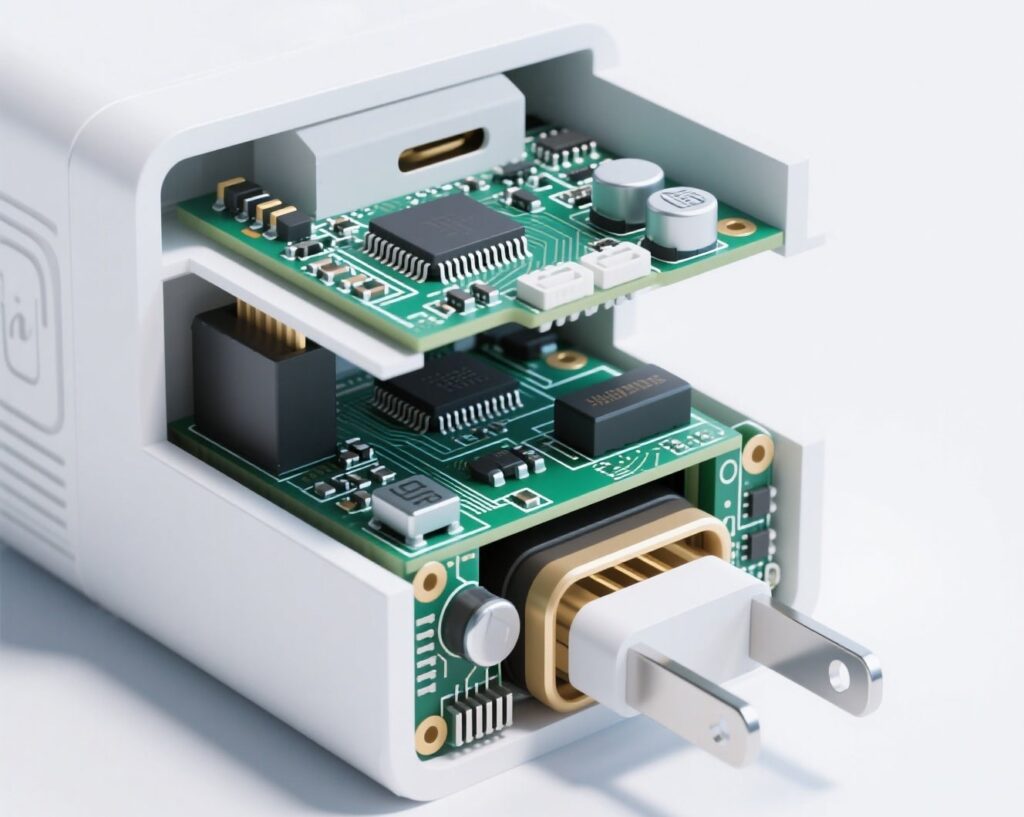
  • For USB-C chargers, ensure the port includes a 56kΩ pull-up resistor (essential for safety)

  • Check that cables (if included) are durable with reinforced stress points

  • Verify that ports are securely mounted to the circuit board

Thermal Management:
Quality chargers include proper heat dissipation mechanisms. GaN chargers should run particularly cool compared to traditional designs.

Weight and Size:
While not definitive, unusually light chargers may indicate substandard components or missing safety elements. When considering QC chargers wholesale or other bulk purchases, request samples to physically inspect before committing to large orders.

Step 4: Research Brand Reputation and Reviews

Brand reputation offers valuable insights into charger quality and manufacturer reliability.

Established vs. Unknown Brands:
Established brands have more to lose from selling unsafe products and typically invest more in quality control and customer support. However, some newer brands specializing in GaN chargers wholesale may offer innovative products at competitive prices.

Review Analysis:
Look beyond star ratings to read detailed reviews mentioning:

  • Long-term durability and performance

  • Actual charging speeds with specific devices

  • Heat generation during use

  • Customer service experiences for defective products

Professional Testing:
Technology websites and YouTube channels often conduct in-depth charger testing using specialized equipment. These reviews provide objective performance data beyond marketing claims.

Step 5: Consider Your Specific Device Needs

A “good” charger depends largely on what you need to charge.

Device Compatibility:

  • Apple devices: Prioritize PD-certified chargers

  • Samsung devices: Look for PPS support alongside PD

  • Gaming phones: May benefit from specialized standards like Qualcomm’s Quick Charge

  • Laptops: Require higher wattage PD chargers (typically 45W+)

Multi-Device Charging:
If you need to charge multiple devices simultaneously, consider total power distribution. A 100W charger with multiple ports might only deliver 65W to one port and split the remainder among others.

Portability Requirements:
For travel, smaller GaN chargers offer significant space savings. When evaluating PD Chargers wholesale for resale, consider offering different sizes and port configurations to meet various customer needs.

Special Considerations for Wholesale Purchasing

Wholesale purchasing introduces additional factors to consider for both business viability and customer safety.

Verification for Bulk Orders:

  • Request detailed specifications sheets for all models

  • Ask for certification documents specific to the production batch

  • Consider third-party testing for large orders, especially when exploring new QC chargers wholesale suppliers

Minimum Order Quantities (MOQs):
Balance quantity discounts against inventory risk. Start with smaller test orders when working with new suppliers, even if per-unit costs are slightly higher.

Warranty and Support:

  • Clarify warranty terms for wholesale purchases

  • Establish procedures for handling defective units

  • Determine who handles customer warranty claims

Customization Options:
Many wholesale suppliers offer branding opportunities. Ensure any customization doesn’t void certifications or compromise safety features.

How to Test Charger Performance

Once you have a charger, several tests can verify its performance.

Basic Functionality Test:

  1. Visually inspect for physical damage

  2. Check that all ports work with various cables

  3. Monitor heat generation during use (should be warm, not hot)

  4. Listen for unusual buzzing or crackling sounds

Performance Benchmarks:

  • Use a USB power meter to measure actual voltage and current output

  • Time how long it takes to charge specific devices from 0% to 50%, 80%, and 100%

  • Test with different cable combinations as cable quality affects performance

Compatibility Testing:

  • Verify the charger works with all your devices

  • Check that fast-charging protocols activate properly

  • Test simultaneous multi-device charging

Red Flags: What to Avoid

Certain warning signs indicate potentially dangerous or poor-quality chargers.

Safety Red Flags:

  • Missing or suspicious certification markings

  • Incorrect pin configurations for your region

  • Excessive heat during normal use

  • Buzzing, crackling, or burning smells

Performance Warning Signs:

  • Significantly slower charging than advertised

  • Inconsistent charging (frequently connecting/disconnecting)

  • Interference with nearby electronics like speakers or radios

Packaging and Marketing Red Flags:

  • Vague or exaggerated claims without specifics

  • Poor quality packaging with spelling errors

  • Lack of manufacturer contact information

  • Prices dramatically lower than comparable products

Conclusion: Making the Right Choice

Identifying a good charger requires attention to safety, performance, compatibility, and build quality. By following this systematic approach—verifying certifications, understanding specifications, evaluating construction, researching reputation, and testing performance—you can confidently select chargers that safely and efficiently power your devices.

For businesses considering PD Chargers wholesale, QC chargers wholesale, or GaN chargers wholesale, these evaluation principles become even more critical as your choices affect not only your business reputation but potentially customer safety. Always prioritize certified products from reputable manufacturers, even at slightly higher costs, as the potential consequences of selling unsafe chargers far outweigh any short-term savings.

Remember that charger technology continues to evolve. Stay informed about emerging standards and innovations while maintaining a focus on the fundamentals of safety and reliability that never go out of style. With careful evaluation and ongoing education, you can ensure that every charger you purchase or sell meets the highest standards of quality and performance.


Power Bank Safety Tips: 6 Essential Rules to Prevent Fire and Phone Damage

At first glance, using a power bank seems incredibly simple—just plug in your phone and go. However, as a professional manufacturer and supplier in the mobile phone accessories industry, I have seen firsthand what happens when things go wrong. A low-quality power bank can damage your expensive smartphone, or worse, become a serious fire hazard. To help you avoid loss or harm, here are my essential tips for safe and effective power bank usage.

1. Never Buy the Cheapest Power Bank

This is the single most important rule. A reliable power bank is worth a fair investment. Many ultra-cheap power banks cut corners by using low-grade battery cells, omitting critical protection circuits, and skipping any form of quality control or testing during assembly.

Some manufacturers of these devices don’t even understand the safety standards their products should meet; they simply build what sells because there is always a market for “cheap.” However, these units often lack a Protection Circuit Module (PCB) , which is essential for preventing overcharging, overheating, and short-circuiting. While a reputable power bank might cost a bit more upfront, it provides peace of mind, safe operation, and a significantly longer lifespan. My advice is to stick with established brand names or trusted wholesale suppliers like Lider.

2. Manage Your Charging Habits Wisely

Proper charging habits can dramatically extend the life of your power bank and keep you safe.

  • Avoid Deep Discharge: Try to recharge your power bank before it is completely drained. Lithium-ion batteries last longer when kept between 20% and 80% charge.

  • Never Leave It Unattended: While modern, high-quality power banks are designed to be safe, it’s a good habit to keep the device within your sight while charging. Avoid charging it overnight while you sleep or leaving it plugged in when you leave the house.

  • Mind the Environment: Do not charge your power bank under a pillow, on a bed, or near flammable materials. Heat needs to dissipate, so place it on a hard, flat surface.

3. Protect Your Power Bank from the Elements

Your power bank is a delicate electronic device and is sensitive to its environment.

  • Avoid Extreme Temperatures: Never leave your power bank in direct sunlight, such as on a car dashboard, as this can cause the internal battery to overheat and fail. Extreme cold can also temporarily reduce its performance.

  • Keep It Dry: Avoid humid surroundings like a steamy bathroom or a pocket with a sweaty water bottle. Moisture can seep inside and corrode the internal circuitry, leading to malfunctions or short circuits. Always store your power bank in a cool, dry place.

4. Know the Warning Signs: When to Retire Your Power Bank

You know your device better than anyone. If you notice any of the following abnormalities, it’s a clear sign that your power bank’s internal components are failing and it’s time to purchase a replacement immediately:

  • Physical Deformation: If the casing appears swollen, bulging, or “fat,” this indicates gas buildup from a failing battery—a serious safety risk.

  • Reduced Performance: A significant drop in charging capacity (it doesn’t charge your phone as many times as it used to) or a much longer charging time for the power bank itself are signs of battery degradation.

  • Excessive Heat: If the power bank gets uncomfortably or painfully hot while charging or discharging, the internal protection circuits may be failing.

  • Strange Noises or Smells: Any hissing, popping, or unusual chemical smells are immediate danger signs.

5. Use Power Banks for Their Intended Purpose: Emergency Backup

A power bank is designed to be a portable source of emergency power. To extend the overall lifespan of your power bank’s battery:

  • Prioritize Other Charging Methods: Use a wall charger when you’re at home or in the office. Use a car charger when you’re driving. This preserves the charge cycles of your power bank for when you truly need them—like when you’re traveling, outdoors, or facing a power outage.

  • Reduce Frequency: The more you rely on your power bank as your primary power source, the faster its internal battery will wear out.

6. Always Use a Compatible Charger

The charger you use to replenish your power bank is just as important as the power bank itself. You must match the electrical specifications.

  • Match Voltage: This is critical. The voltage (V) of your wall charger must match the input voltage requirement of your power bank. For most portable power banks, this is 5V. Plugging a power bank that expects 5V into a fast charger that outputs 9V or 12V can destroy the charging circuit, cause smoking, or even lead to a fire or explosion if the internal protection isn’t robust enough.

  • Current is Negotiable: The current (A/amps) rating of your charger can be equal to or higher than the power bank’s input. For example, a 5V/2.1A charger (like an old iPad charger) is perfectly safe for a power bank that requires 5V/1A. The power bank will only draw the amount of current it needs.

By following these guidelines, you can ensure that your power bank remains a safe, reliable, and long-lasting tool for keeping your devices powered up. As a manufacturer, we at Lider are committed to producing safe, high-quality products, but your awareness and habits are the final and most important line of defense.

Why a GaN charger is better than traditional silicon charger?

When comparing a GaN charger (gallium nitride) to a traditional silicon charger, the differences come down to physics, efficiency, and design. GaN is a wide-bandgap semiconductor that outperforms silicon in several key areas, making modern GaN chargers smaller, cooler, and more powerful.

1. Higher Efficiency and Less Heat for Gan chrger

Silicon chargers have inherent electrical resistance, which wastes energy as heat. GaN has a lower resistance and can switch at much higher frequencies. This reduces energy loss by up to 40%, meaning more power reaches your device and less is turned into wasted heat. You can safely charge a laptop and phone simultaneously without the brick burning your hand.

2. Smaller and Lighter Form Factor

Because GaN operates at higher switching frequencies, it requires smaller transformers, capacitors, and other bulky components. A 65W GaN charger can be half the size of a traditional 65W silicon charger. For travelers, this means replacing a heavy laptop brick with a pocket-friendly cube that still delivers full-speed charging.

3. Better Power Density

GaN technology enables higher power density – more watts per cubic inch. A silicon charger that tops out at 30W in a certain size can be replaced by a GaN charger delivering 100W in the same footprint. This is why you now see multi-port GaN chargers that can power a MacBook Pro, iPad, and iPhone simultaneously from a single compact unit.

4. Safer and More Durable

Less heat generation means less thermal stress on internal components. GaN chargers run cooler even under full load, extending their lifespan and reducing fire or failure risks. They also maintain stable voltage output, protecting sensitive electronics like laptops and gaming handhelds.

Should You Switch?

Absolutely. For everyday users, a GaN charger offers faster, cooler, and more portable charging. While slightly more expensive upfront, the durability, safety, and convenience make it a superior long-term investment over any new silicon-based charger. As more devices adopt USB-C Power Delivery, GaN is quickly becoming the new standard.

Key takeaway: GaN chargers deliver more power in less space with less waste – a clear win over outdated silicon technology.

The Ultimate Guide to Buying the Best Travel Charger for Phones and Laptops in 2026

Gan Travel Chargers

Gan Travel Chargers

Introduction: Why Your Old Travel Charger Isn’t Cut Out for Travel

Picture this: You’re in a crowded airport during a layover, your laptop battery is at 5%, and your phone isn’t far behind. You scramble for an outlet, only to find you’ve packed a tangle of slow, bulky travel chargers that take forever to power one device, let alone all of them. This modern travel nightmare is entirely avoidable.

The right travel charger is no longer a luxury; it’s a necessity. It’s the command center for your digital life on the road, capable of juicing up your smartphone, laptop, tablet, and headphones simultaneously, quickly, and safely—all from a single, compact device that fits in your pocket.

This comprehensive guide will walk you through everything you need to know to invest in a perfect travel charger for your needs, covering key specs, crucial features, and top recommendations to ensure you never face a dead device again.

Chapter 1: Understanding the Core Specifications of Travel Charger

Before you buy, you need to speak the language. These technical terms define a charger’s capability.

1. Wattage (W): The Powerhouse Metric

Wattage is the most critical factor determining charging speed. Simply put, higher wattage = faster charging, but only if your device can handle it.

  • Phones (iOS & Android): Most modern smartphones support fast charging between 20W and 45W. A 20W charger will fill an iPhone much faster than the old 5W brick.

  • Tablets: Typically require 30W to 45W for optimal charging.

  • Laptops: This is where power needs jump. Most modern ultrabooks (MacBook Air, Dell XPS 13) need at least 45W-65W. Larger notebooks and gaming laptops may require 100W or more.

Pro Tip: For a future-proof charger that can handle a laptop and other devices, aim for a minimum of 65W. If you’re a power user with a high-performance laptop, look for 100W+.

2. USB Power Delivery (PD): The Universal Fast-Charging Standard

USB Power Delivery (USB-PD) is a universal fast-charging protocol that allows for higher power transfer over USB-C connections. It’s what enables a small charger to power a large laptop.

  • Why it matters: USB-PD is the standard for modern MacBooks, Windows ultrabooks, iPads, and high-end Android phones. If your charger and device both support USB-PD, they will negotiate the fastest possible charging speed.

  • Look for it: Ensure any charger you buy prominently features “USB Power Delivery” support.

3. Ports: Quantity and Type

The number and type of ports determine how many devices you can charge at once.

  • USB-C Ports: These are essential. Look for chargers with multiple USB-C ports, as they are used for high-speed data transfer and high-wattage charging. This is where your laptop will plug in.

  • USB-A Ports: While older, these are still useful for charging older devices like Bluetooth headphones, some fitness trackers, or for using older cables. A good travel charger should have at least one.

Aim for a charger with 2-3 ports minimum (e.g., 2x USB-C + 1x USB-A) to avoid carrying multiple chargers.

Chapter 2: Must-Have Features for the Modern Traveler

Beyond the basic specs, these features separate good chargers from great ones.

1. GaN Technology: Smaller, Cooler, and More Efficient

Gallium Nitride (GaN) is a revolutionary semiconductor material that has transformed charger design.

  • Smaller Size: GaN chargers are significantly smaller and lighter than traditional silicon-based chargers with the same power output. This is a game-changer for travel.

  • Greater Efficiency: They waste less energy as heat, meaning they run cooler and are often more reliable.

  • The Verdict: In 2025, always choose a GaN charger. The price difference is minimal, and the benefits for a traveler are enormous.

2. Compact and Foldable Design

A travel charger should be, above all, travel-friendly. A foldable plug (like those from Anker or Ugreen) is a brilliant feature that protects your bag and other items from getting scratched. Compactness ensures it doesn’t block adjacent outlets in crowded airport charging stations.

3. PPS Support: The Smart Charging Protocol

PPS (Programmable Power Supply) is an advanced protocol within the USB-PD 3.0 standard. It allows for minute adjustments in voltage, which increases efficiency and reduces heat generation. This is particularly important for Samsung Galaxy smartphones (like the S-series), which use PPS for their super-fast charging (45W). If you’re an Android user, look for PPS support.

4. International Compatibility (Voltage & Plug Adapters)

A true travel charger must work anywhere.

  • Input Voltage: Ensure it supports 100-240V input voltage. This is standard for most quality chargers and means it will work seamlessly with any voltage from the U.S. to Europe to Asia without a bulky separate voltage converter.

  • Interchangeable Plugs: Some advanced travel chargers (like the Zendure Passport) come with built-in, swappable plugs for US, EU, UK, and AUS outlets. This is incredibly convenient, eliminating the need for separate plug adapters.

Compact GaN Tech charger

Compact GaN Tech charger

Chapter 3: Safety and Reliability: Don’t Cut Corners

A cheap, uncertified charger can fry your $2,000 laptop. Never compromise on safety.

  • Certifications: Look for safety certifications like UL (Underwriters Laboratories), ETL, CE or other?. These indicate the product has been tested and meets specific safety standards.

  • Protections: Quality chargers include built-in protections against:
  • Overheating
  • Overcurrent
  • Overvoltage
  • Short circuits
  • Brand Reputation: Stick with reputable brands known for quality and customer service, such as Anker, Spigen, Satechi, Trunker, and Belkin. Their products may cost slightly more but offer peace of mind.

Chapter 4: Top Travel Charger Recommendations for 2025

Here are some top-tier options categorized by use case:

Product ExampleWattageKey FeaturesBest For
Anker 735 Charger (GaNPrime 65W)65W3 ports (2xC, 1xA), GaN II tech, compact foldable plugThe all-rounder: perfect for a MacBook Air/Pro and two other devices.
Ugreen Nexode 100W Charger100W3 ports (2xC, 1xA), GaN tech, PPS support, foldable plugPower users with a high-wattage laptop who need to charge multiple devices fast.
Zendure Passport III65W2 ports (1xC, 1xA), Built-in int’l plugs (US/EU/UK/AUS), GaNThe frequent international flyer who wants an all-in-one solution.
Anker 313 Charger (PowerPort III 20W)20WSingle USB-C port, incredibly compact and affordableThe minimalist traveler who only needs to fast-charge a phone.
Lider Travel Charger

Lider Travel Charger

Chapter 5: Putting It All Together: Your Buying Checklist

Before you click “buy,” run through this checklist:

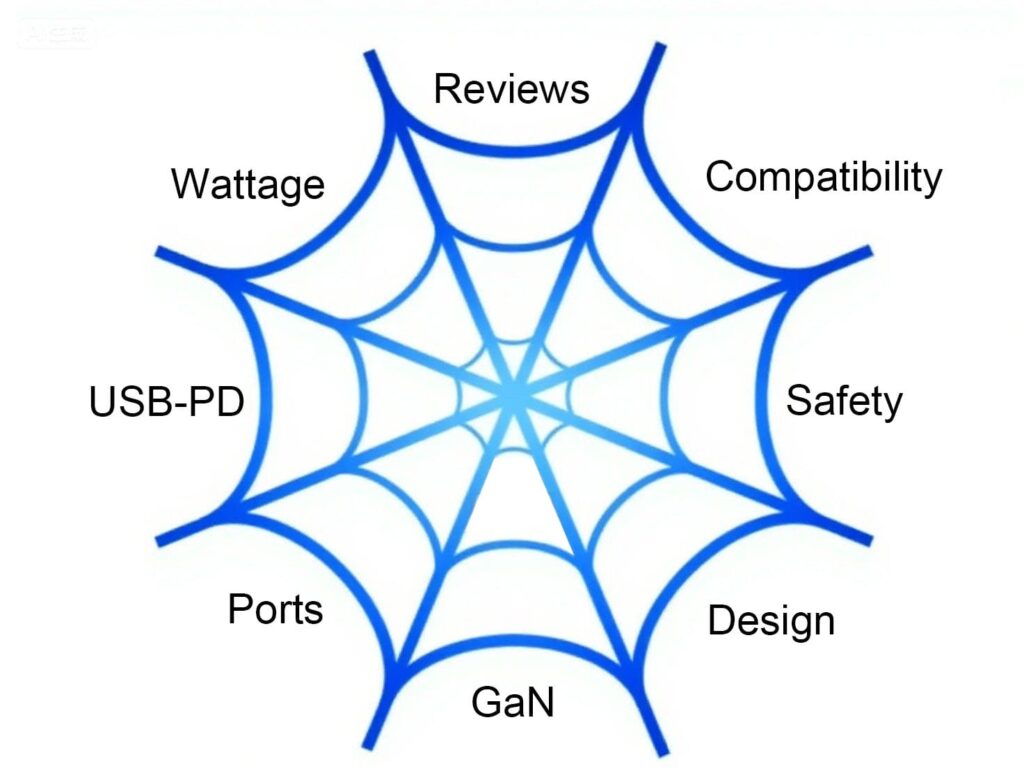
  1. ✅ Wattage: Does it have enough power for my laptop (at least 65W) and devices?

  2. ✅ USB-PD: Does it support USB Power Delivery for fast laptop charging?

  3. ✅ Ports: Does it have enough ports (USB-C and USB-A) for all my gear?

  4. ✅ GaN: Is it made with GaN technology for a smaller size?

  5. ✅ Design: Is it compact with a foldable plug?

  6. ✅ Safety: Does it have necessary certifications (UL, ETL, CE or other)?

  7. ✅ Compatibility: Does it support 100-240V for international travel?

  8. ✅ Reviews: Have I checked verified customer reviews for real-world performance?

More to check

More to check

Conclusion: Invest in Your Connectivity

Your travel charger is the unsung hero of your go-bag. Choosing the right one—a powerful, compact, safe, and versatile GaN charger with multiple ports—will transform your travel experience. It declutters your bag, reduces your stress, and, most importantly, keeps you connected to the world, your work, and your loved ones, no matter where your journey takes you.

Ditch the bundle of old chargers and make the upgrade. Your future self, calmly working on a fully charged laptop while everyone else scrambles for an outlet, will thank you.

Ready to find your perfect travel charger? Use the guide and checklist above to compare top-rated models on Amazon or your favorite electronics retailer today!