Phone accessories wholesale – Phone chargers, data cables, covers, and other spare parts or accessories from China supplier and manufacturers outlet. Check iPhone, iPad, Samsung, Alcatel, Huawei accessories wholesale.
Category Archives: Knowledge Base
Navigating the world of phone accessories is key to making informed decisions, whether you’re a consumer or a B2B buyer. This knowledge base delves into the essential aspects that define quality and value. For retailers and resellers, understanding product specifications—from charging protocols like PD and QC to materials used in cases and screen protectors—is crucial for inventory selection and customer satisfaction.
We explore critical topics such as differentiating between certified and generic cables, the benefits of GaN technology in chargers, and how to identify durable, market-ready accessories. This resource also covers industry trends, manufacturing insights, and practical guides on product compatibility and safety standards. Empowering yourself with this technical and market knowledge ensures you source reliable products, mitigate returns, and build a trustworthy brand in a competitive marketplace.
At first glance, using a power bank seems incredibly simple—just plug in your phone and go. However, as a professional manufacturer and supplier in the mobile phone accessories industry, I have seen firsthand what happens when things go wrong. A low-quality power bank can damage your expensive smartphone, or worse, become a serious fire hazard. To help you avoid loss or harm, here are my essential tips for safe and effective power bank usage.
1. Never Buy the Cheapest Power Bank
This is the single most important rule. A reliable power bank is worth a fair investment. Many ultra-cheap power banks cut corners by using low-grade battery cells, omitting critical protection circuits, and skipping any form of quality control or testing during assembly.
Some manufacturers of these devices don’t even understand the safety standards their products should meet; they simply build what sells because there is always a market for “cheap.” However, these units often lack a Protection Circuit Module (PCB) , which is essential for preventing overcharging, overheating, and short-circuiting. While a reputable power bank might cost a bit more upfront, it provides peace of mind, safe operation, and a significantly longer lifespan. My advice is to stick with established brand names or trusted wholesale suppliers like Lider.
2. Manage Your Charging Habits Wisely
Proper charging habits can dramatically extend the life of your power bank and keep you safe.
Avoid Deep Discharge: Try to recharge your power bank before it is completely drained. Lithium-ion batteries last longer when kept between 20% and 80% charge.
Never Leave It Unattended: While modern, high-quality power banks are designed to be safe, it’s a good habit to keep the device within your sight while charging. Avoid charging it overnight while you sleep or leaving it plugged in when you leave the house.
Mind the Environment: Do not charge your power bank under a pillow, on a bed, or near flammable materials. Heat needs to dissipate, so place it on a hard, flat surface.
3. Protect Your Power Bank from the Elements
Your power bank is a delicate electronic device and is sensitive to its environment.
Avoid Extreme Temperatures: Never leave your power bank in direct sunlight, such as on a car dashboard, as this can cause the internal battery to overheat and fail. Extreme cold can also temporarily reduce its performance.
Keep It Dry: Avoid humid surroundings like a steamy bathroom or a pocket with a sweaty water bottle. Moisture can seep inside and corrode the internal circuitry, leading to malfunctions or short circuits. Always store your power bank in a cool, dry place.
4. Know the Warning Signs: When to Retire Your Power Bank
You know your device better than anyone. If you notice any of the following abnormalities, it’s a clear sign that your power bank’s internal components are failing and it’s time to purchase a replacement immediately:
Physical Deformation: If the casing appears swollen, bulging, or “fat,” this indicates gas buildup from a failing battery—a serious safety risk.
Reduced Performance: A significant drop in charging capacity (it doesn’t charge your phone as many times as it used to) or a much longer charging time for the power bank itself are signs of battery degradation.
Excessive Heat: If the power bank gets uncomfortably or painfully hot while charging or discharging, the internal protection circuits may be failing.
Strange Noises or Smells: Any hissing, popping, or unusual chemical smells are immediate danger signs.
5. Use Power Banks for Their Intended Purpose: Emergency Backup
A power bank is designed to be a portable source of emergency power. To extend the overall lifespan of your power bank’s battery:
Prioritize Other Charging Methods: Use a wall charger when you’re at home or in the office. Use a car charger when you’re driving. This preserves the charge cycles of your power bank for when you truly need them—like when you’re traveling, outdoors, or facing a power outage.
Reduce Frequency: The more you rely on your power bank as your primary power source, the faster its internal battery will wear out.
6. Always Use a Compatible Charger
The charger you use to replenish your power bank is just as important as the power bank itself. You must match the electrical specifications.
Match Voltage: This is critical. The voltage (V) of your wall charger must match the input voltage requirement of your power bank. For most portable power banks, this is 5V. Plugging a power bank that expects 5V into a fast charger that outputs 9V or 12V can destroy the charging circuit, cause smoking, or even lead to a fire or explosion if the internal protection isn’t robust enough.
Current is Negotiable: The current (A/amps) rating of your charger can be equal to or higher than the power bank’s input. For example, a 5V/2.1A charger (like an old iPad charger) is perfectly safe for a power bank that requires 5V/1A. The power bank will only draw the amount of current it needs.
By following these guidelines, you can ensure that your power bank remains a safe, reliable, and long-lasting tool for keeping your devices powered up. As a manufacturer, we at Lider are committed to producing safe, high-quality products, but your awareness and habits are the final and most important line of defense.
Trying to squeeze margins out of generic phone cases and cables will cause your business to fall like a pack of cards. But custom phone accessories with your brand will help you stand out.
Customizing your own line could help you eliminate this because you have control over the design and quality of your products.
It is also one of the most accessible and profitable niches within consumer electronics as you can rank as a unique brand with it.
You’d also be able to control customer experience because you get to plan your product specifics to the T—from the protective materials to the packaging unboxing feel.
Another good thing is that you make all the decisions. You are in control unlike wholesaling another brand’s product. With wholesaling, there are restrictions on pricing and design. This is for a product that you cannot even modify or differentiate.
Even big brands are tapping into this. Companies like Casetify and dbrand built empires on this very model. Their custom, unique designs are among the top ranking accessories on Amazon in sales.
Warning: if you want to succeed on the haul, your brand needs to live outside of Amazon. If not, they could bust your bubble at some point. That’s because they can use the marketplace machine much more than you can.
A custom phone accessories business is nice but running it could be complex. You need to be vigilant and have a legal team to make sure that your manufacturer remains honest and that your designs don’t infringe on trademarks.
Nevertheless, if you have searched for phone accessory modifications that have market opportunity and you are a 100% sure that you have a sellable design, then read on.
Finding suppliers that deliver standard, unbranded accessories is not hard. They are on the internet.
However, you wouldn’t get much information in this regard out of Oberlo, AliExpress and other dropship directories or tools for true customization.
You need to search on sites like Google, Thomasnet and Alibaba.
If you know the art of Google-Fu, you’ll be able to surface manufacturers’ information from search results easily.
If you search for “custom phone case manufacturer”, you’ll see a lot of results. Sift through to get what you want. This requires digging and it could involve a lot of trial and error before you get the right one.
ThomasNet
One method I love to use is a suppliers’ directory. Thomasnet is one of them. It is free and you can search for manufacturers by product and location. So you can type in “custom electronics accessories USA” or “phone accessory manufacturer”. The results will show manufacturers’ certifications and the services that they offer.
Alibaba
Another place that you can search for custom manufacturers is Alibaba, not AliExpress. On Alibaba, just input the keyword like “custom logo phone charger manufacturer”. One good thing about Alibaba’s results is that you can see third-party verifications of the supplier and certifications of the company.
With this, you can be certain of what you are getting. There are tons of suppliers here and a good number of them are less expensive because they are based overseas (especially in Shenzhen, China, the electronics hub). One downside to this method is that you may contact a non-native English speaker. The language barrier can be frustrating.
There are also other methods. If you are an Ecommerce CEO member, check out finding suppliers. It is one of the paid courses.
What To Look Out For When Selecting A Manufacturer
Finding a supplier is not enough, you have to know who and what to filter out. I’ll divide the process into three.
Before Contacting The Manufacturers
You may notice some sketchy manufacturers by reading reviews made by verified purchases.
When looking at reviews of those products, you should look out for the way they handle negative feedback. Also, you can take a look at the verifications. This is something I mentioned above about Alibaba.
Another thing to check is their product specialization. Seeing images of the exact custom work that they have done for other brands would help you know if they can execute your specific design for cases, screen protectors, or chargers.
You don’t want to work with a jack of all trades and master of none.
Also, check out their price. You don’t want to have a unit cost of $8 for a custom case, when the premium market price is $25. Shop around and compare with other suppliers.
If you can see their minimum order quantity (MOQ), that’s also glorious. Custom work often has higher MOQs.
You should also find out about shipping.
What will it cost to ship in bulk?
Will you save on shipping in bulk overseas?
Do they even ship to your country of residence?
What is the turnaround time on a custom order?
Another thing that you need to do before making contact is to have a business license and bank account. If you use your personal details, you may not be taken seriously by good suppliers and could fall into the hands of sketchy ones. This also stands for the suppliers. When you contact them, ensure that you are given a verified business name, bank account, licenses, and certifications.
During Initial Contact
When you have gathered all that information, reach out to your potential suppliers to confirm if the information you have gathered is accurate. Then you need to verify if they do true custom manufacturing (your unique design from scratch), private label (their existing designs with your logo), or both. Some suppliers use ‘custom’ on their website but only offer simple logo printing.
You also need to take care of inventory and fulfillment. Amazon FBA is a good option if you don’t want to be too stressed out with fulfilling orders. You’ll need to find out how you’d be shipping from their factory to Amazon or your warehouse.
After A Positive Response
When you receive a response from the company confirming all that information and giving you details that align with your expectations, you can request for a prototype or sample.
Since you are creating custom products, samples are non-negotiable. You need to see and feel the quality, color accuracy, and print durability before you commit a bulk order.
Some companies give free samples but shipping from an overseas manufacturer will cost you. It doesn’t make much sense to travel all the way to China to vet the product so you’d have to pay for shipping.
If this is your first go, make sure that your designs are simple and scalable. You don’t need to reinvent the wheel.
Even as you vet the quality, shipping, price and all of that, understand that there are legal risks involved. These risks can come from using licensed characters, brand logos (like Apple’s), or patented technology (like MagSafe). Brands have been sued for this. It is recommended that you use a lawyer and that you educate yourself on intellectual property before you do anything.
In addition, before you rush into working with them, sign on the dotted line. A conversation is not enough. No matter how trustworthy the manufacturer may seem, get a contract down that covers design ownership, quality standards, and delivery schedules. This will prevent future problems.
There are other things you need to ask and look at for that I cannot cram into this blog post, you can check out my premium course for details.
Custom Phone Accessories Manufacturers
The global 3C electronics accessories market is on its way to $65.3 billion by 2025. The CAGR is around 9.5% for the next few years.
This is a large market because people are very connected to their smartphones. As a result, accessories like custom cases, screen protectors, chargers, and pop-sockets are selling like crazy.
Your logo can be engraved, printed, or molded into the body of these accessories. Some manufacturers also handle custom packaging.
Suppliers in this industry can typically modify:
Materials (e.g., biodegradable cases, tempered glass vs. film)
Design & Artwork (full custom shapes or printed graphics)
Functionality (adding card slots, kickstands, or compatibility with wireless charging)
Packaging (branded boxes for unboxing experience)
Some suppliers in this industry are:
Krystalinks
If you are looking to custom manufacture all sorts of tech accessories, Krystalinks is a good fit. They can print your logo on your product, use a customized color, and give you a unique product package. They specialize in cables, Bluetooth products, charging devices, and phone accessories. The MOQ varies.
They white label but for true custom designs, you’d have to contact them on that.
Shenzhen Pengchu Industries
If you want to sell custom power accessories and cables, Shenzhen Pengchu Industries can handle that. They are a specialized power cable and adaptor supplier. The MOQ is 500. They can customize cable length, color, and connector types. They also dropship and white label.
Lider Accessories
If you are looking to sell custom mobile phone accessories, Lider Mobile Accessories are a good fit. They specialize in custom cell phone chargers, phone cases and protector covers, and data cables. They can integrate logos and custom colors. They also white label.
Case Custom Co.
For those focused solely on phone cases, Case Custom Co. has it down to pat. They offer full custom design from the ground up—you can choose the base model, materials (hard PC, soft TPU, silicone), and printing techniques (HD digital, sublimation, offset). Their MOQ starts at 500 units. They offer both private and white label services.
Elebest
Elebest is a good fit for you if you are looking to start a custom car phone accessory business, like vent mounts or wireless charging cradles. They manufacturer Car DVR, mounts, and chargers.
The MOQ is 500. They don’t dropship. Concerning custom work, you’d have to contact them with your specifications.
Nestled in China’s Zhejiang province, the city of Yiwu has earned the moniker “The World’s Supermarket” for a compelling reason. It is home to the world’s largest wholesale market for small commodities, a staggering complex where buyers can source over 2.1 million types of goods . At the heart of this commercial powerhouse lies a thriving hub for the mobile phone accessories wholesale industry. For retailers, distributors, and entrepreneurs looking to source everything from basic USB cables and chargers to the latest power banks and Bluetooth headphones, the Yiwu market offers an unparalleled one-stop solution. This article serves as your definitive guide to navigating this immense marketplace, connecting with reliable suppliers, and leveraging its global supply chain to fuel your business growth.
Yiwu International Trade City: The World’s Supermarket
The core of Yiwu’s wholesale trade is the Yiwu International Trade City, a colossal marketplace that is virtually a city in itself like Guangzhou mobile accessories wholesale market or Shenzhen phone accessories market. To understand its scale, consider this: the market houses approximately 75,000 shops . If a visitor spent only three minutes at each booth, it would take an estimated year and a half to see everything, based on an 8-hour day . This vast network is divided into five distinct districts, each specializing in different product categories, making targeted sourcing efficient for international buyers.
The market’s influence is truly global, with goods flowing to and from over 230 countries and regions . What began as a simple “street market” over 40 years ago has transformed into a modern, digitized trading giant that is a critical node in the global economy . Its data and performance are even seen as a barometer for global trade trends.
A Deep Dive into Mobile Phone Accessories in Yiwu
For those in the mobile accessories trade, District 2 of the International Trade City is your primary destination. This zone is a concentrated ecosystem for electronics and telecommunications products.
Product Range and Key Suppliers
The variety of mobile phone accessories available in Yiwu is exhaustive. Walking through the aisles of District 2, you will find countless suppliers offering every conceivable accessory. Based on verified supplier listings, the main product categories include:
Charging Solutions: USB cables, travel chargers, car chargers, and wireless chargers.
Power Banks: A wide array of capacities and designs.
Audio Products: Wired earphones, Bluetooth headphones, and headsets.
Protection & Support: Phone cases, screen protectors, and mobile phone holders.
Other Accessories: Memory cards, selfie sticks, small fans, and直播 lights (live stream lights) .
To illustrate the market’s density, the table below lists a few examples of actual suppliers located within the International Trade City:
Supplier Name / Booth
Location
Sample Product Offerings
WELIKE / Booth 17971
International Trade City, District 2
Phone chargers, data cables, phone stands, Bluetooth earphones, power banks, hubs, memory cards.
Yiwu Xuanfeng Technology / Booth 17648
International Trade City, District 2
Earphones, data cables, speakers, plugs, power banks.
Five-Star Credentialed Booths
Various Locations in District 2
Telecommunications equipment and hardware (as part of a certified quality program).
Quality and Credibility: The Five-Star Booth System
A significant concern for any buyer is supplier reliability. Yiwu market has implemented a robust credential and star-rating system to help mitigate this risk. In a recent initiative, the market mutually recognized its first batch of 37 five-star booths with entities in Egypt and Dubai . This cross-regional recognition mechanism is designed to “significantly reduce institutional transaction costs for foreign trade practitioners,” providing buyers with a verified list of high-quality suppliers . While the specific product is not always listed, several of these top-rated booths are within District 2 and specialize in “Telecommunications Equipment” , making them excellent starting points for a sourcing trip.
Unbeatable Scale and Variety: The sheer concentration of suppliers in one location allows for efficient comparison of price, quality, and design. You can find every type of data cable, phone charger, and power bank imaginable, often allowing you to consolidate your sourcing from multiple vendors to a single logistics shipment.
Competitive Pricing: As a direct link to manufacturing hubs in China and a center for global export, Yiwu offers highly competitive factory-level pricing. The intense competition among thousands of vendors also works in the buyer’s favor.
Flexibility for Large and Small Orders: While many suppliers cater to large-volume orders, the rise of e-commerce has also made smaller batch ordering more accessible. The market has evolved to support businesses of all sizes.
Integration with Global Logistics: Yiwu is not just a market; it’s a integrated logistics hub. It is the starting point for the “Yixin’ou” railway, a China-Europe freight service that had already run over 2,000 trains by late 2022, providing a vital land-based supply chain link to Europe . Coupled with numerous international shipping options, getting your goods from the Yiwu showroom to your warehouse is a streamlined process.
Practical Tips for Buyers and Visitors
Navigating Yiwu for the first time can be overwhelming. Here are some key tips to ensure a successful trip:
Prepare and Research: Before you go, use official market apps and websites like Yiwugoo to identify potential suppliers and map out your route . Having a plan is crucial due to the market’s immense size.
Verify Suppliers: Look for signs of credibility. Check if the supplier has a physical booth in the market, possesses a business license, and holds any quality certifications or star ratings, like the five-star booths mentioned earlier .
Communicate Clearly: Be specific about your product requirements, including specifications, quantities, and packaging. While language can be a barrier, many suppliers have staff who can manage basic English communication, and translation apps are invaluable.
Build Relationships: Building a good relationship with a few reliable suppliers can lead to better prices, priority during high-demand periods, and more cooperative problem-solving.
The Future of Yiwu Market
Yiwu is far from static. It continues to evolve, embracing digital platforms and new models like cloud-based procurement (Cloud Sourcing), overseas warehouses, and overseas sub-markets to maintain its edge in global trade . The market is steadily moving from purely supporting “Made in China” to fostering “Created in China,” with an increasing number of vendors developing and selling their own branded products . This shift towards quality and innovation ensures that Yiwu will remain a relevant and critical sourcing destination for years to come.
Conclusion
The Yiwu Mobile Phone Accessories Wholesale Market is more than just a place to buy USB cables and chargers in bulk. It is a dynamic, global ecosystem that offers businesses unparalleled access to the heart of the supply chain. Its immense scale, competitive pricing, and ongoing innovation make it an indispensable resource for anyone serious about the mobile accessories industry. By doing thorough research, leveraging new credential systems, and building strong supplier relationships, you can tap into the power of this “World’s Supermarket” to significantly enhance your product offerings and grow your business on a global scale.
In our increasingly connected world, USB cables have become the invisible lifelines that power our digital lives. From charging our smartphones to transferring data between devices, these unassuming cords play a crucial role in our daily routines. However, the landscape of USB technology has evolved into a complex ecosystem of different standards, shapes, and capabilities that can confuse even the most tech-savvy users.
The journey of USB technology began in 1996 with the introduction of USB 1.0, which offered a modest speed of 1.5 Mbps. Since then, we’ve witnessed a remarkable evolution through USB 2.0, USB 3.0, and the latest USB4 standards, with data transfer rates now reaching an astonishing 40 Gbps. Simultaneously, the physical connectors have diversified from the original Standard-A to today’s versatile USB-C, creating a maze of compatibility challenges and opportunities.
This comprehensive guide will demystify the complex world of USB cables, providing you with the knowledge to navigate the different types, understand their capabilities, and choose the right cable for every situation. Whether you’re looking to charge your devices faster, transfer large files more efficiently, or simply understand what all those different ports and connectors mean, this article will serve as your definitive resource.
USB5 Cables Wholesale High speed charging and data transfer USB-C cables
Understanding USB Cables Standards and Generations
The Evolution of USB Specifications
USB technology has progressed through several generations, each bringing significant improvements in speed and functionality. The USB-IF (USB Implementers Forum), the governing body behind USB standards, has developed specifications that have transformed how we interact with our devices.
USB 1.x started the revolution with two variants: USB 1.0 Low-Speed at 1.5 Mbps and USB 1.1 Full-Speed at 12 Mbps. While these speeds seem primitive by today’s standards, they represented a major step forward in peripheral connectivity at the time.
The USB 2.0 standard, introduced in 2000, marked a substantial leap with Hi-Speed capability reaching 480 Mbps. This version became the workhorse of the industry for over a decade and remains common in many devices today, particularly for basic charging and peripheral connections.
USB 3.x generations brought super-speed capabilities to the market. USB 3.0 (later renamed USB 3.1 Gen 1) offered 5 Gbps transfers, while USB 3.1 Gen 2 doubled this to 10 Gbps. The USB 3.2 standard further expanded capabilities, with Gen 2×2 reaching 20 Gbps by utilizing two lanes of data transmission.
The current pinnacle of USB technology is USB4, which builds upon Thunderbolt 3 technology to deliver speeds up to 40 Gbps. USB4 also introduces better resource allocation for video, data, and power delivery through its tunneling architecture.
Key USB CABLES Technologies and Protocols
Beyond raw speed specifications, several key technologies define modern USB CABLES capabilities:
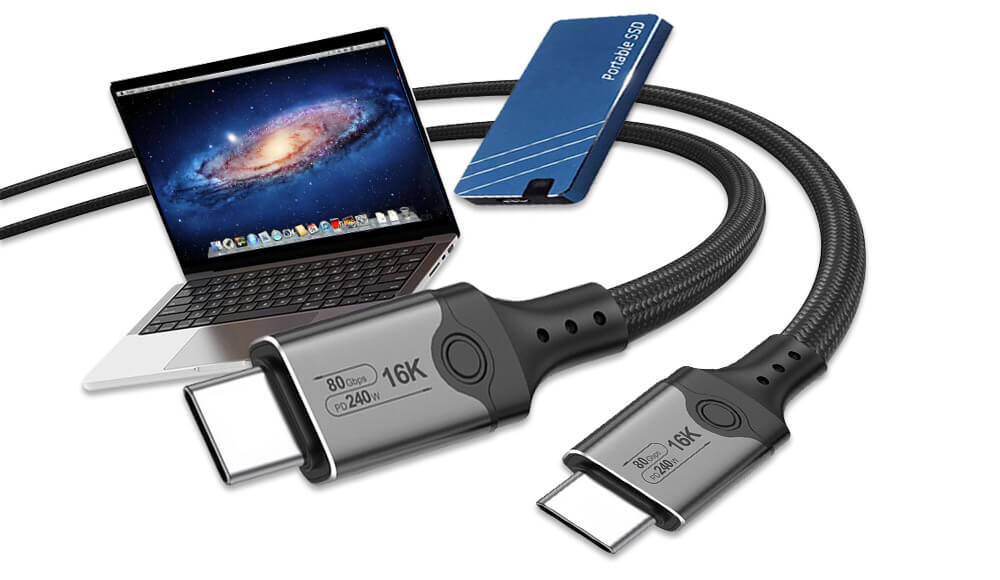
USB Power Delivery (USB-PD) is a sophisticated charging protocol that enables higher power levels (up to 240W with USB PD 3.1) and bidirectional power flow. This means the same cable can charge your laptop and then be used to charge your phone from your laptop’s battery.
USB Battery Charging (USB-BC) was an earlier charging specification that allowed for higher current than standard USB 2.0, while USB-C Current refers to the ability of USB-C cables to handle up to 5A of current natively.
The introduction of Alternate Modes in USB-C cables enables other protocols like DisplayPort, HDMI, and Thunderbolt to operate over the USB-C connector, transforming a simple data cable into a multi-purpose connectivity solution.
Comprehensive Guide to USB Connector Types
Traditional USB CABLES Connectors
USB Type-A is the rectangular connector that most people recognize as “USB.” It has been the standard host connector for computers, chargers, and hubs for decades. While the shape has remained consistent, the internal connectors have evolved to support newer standards, with USB 3.0 Type-A ports featuring additional pins visible as blue plastic inserts.
USB Type-B connectors are typically found on peripheral devices like printers, scanners, and external hard drives. Their squarish shape with beveled corners was designed to prevent confusion with Type-A ports. The USB 3.0 Type-B variant features an additional top section to accommodate the extra data lines needed for SuperSpeed transfer.
Mini-USB was once the standard for mobile devices, digital cameras, and portable hard drives before being largely superseded by Micro-USB. The Mini-USB connector is characterized by its 5-pin design and durability issues after repeated use.
Micro-USB became the universal charging solution for Android devices for nearly a decade and is still found in many budget phones, Bluetooth devices, and other electronics. Its slim design was better suited for increasingly thin mobile devices, though it shares similar durability concerns to Mini-USB.
USB-C represents a fundamental rethinking of USB connectivity. Its slim, reversible 24-pin connector eliminates the frustration of trying to insert the cable correctly. But beyond convenience, USB-C delivers unprecedented capabilities:
Reversible design for hassle-free insertion
Higher power delivery (up to 240W with USB PD 3.1 EPR)
Support for Alternate Modes including DisplayPort, HDMI, and Thunderbolt
Native support for USB4 and backward compatibility with previous standards
Dual-lane operation for doubled data transfer speeds
The versatility of USB-C has made it the connector of choice for modern devices from smartphones to laptops, and it’s steadily becoming the universal standard for all electronics.
Specialized and Legacy Connectors
Beyond the common types, several specialized USB connectors serve particular markets:
USB Micro-B SuperSpeed features a two-part design that maintains compatibility with standard Micro-B while adding additional contacts for USB 3.0 data transfer. This connector is commonly found on external hard drives.
USB On-The-Go (OTG) connectors, typically Micro-USB or USB-C with special wiring, enable mobile devices to act as hosts, allowing you to connect peripherals like flash drives, keyboards, or controllers directly to your phone or tablet.
Proprietary connectors like Apple’s Lightning connector, while not official USB standards, are worth mentioning as they often work alongside USB technology for charging and data transfer in Apple’s ecosystem.
USB Cables Capabilities and Performance
Data Transfer Speeds Compared
Table: USB Data Transfer Standards and Speeds
USB Standard
Theoretical Maximum Speed
Real-World Typical Speed
Common Applications
USB 2.0
480 Mbps
30-40 MB/s
Keyboards, mice, basic charging
USB 3.2 Gen 1
5 Gbps
400-500 MB/s
External HDDs, flash drives
USB 3.2 Gen 2
10 Gbps
800-1000 MB/s
SSDs, high-speed backups
USB 3.2 Gen 2×2
20 Gbps
1.5-2 GB/s
High-performance storage
USB4
40 Gbps
2.5-3.5 GB/s
Docking stations, professional gear
Power Delivery Capabilities
Charging capabilities vary significantly across USB standards and connector types:
Standard USB 2.0 cables typically support up to 2.5W (5V/0.5A), sufficient for slow charging of phones and powering small peripherals.
USB 3.0 increased this to 4.5W (5V/0.9A), while the USB Battery Charging specification allowed for up to 7.5W (5V/1.5A).
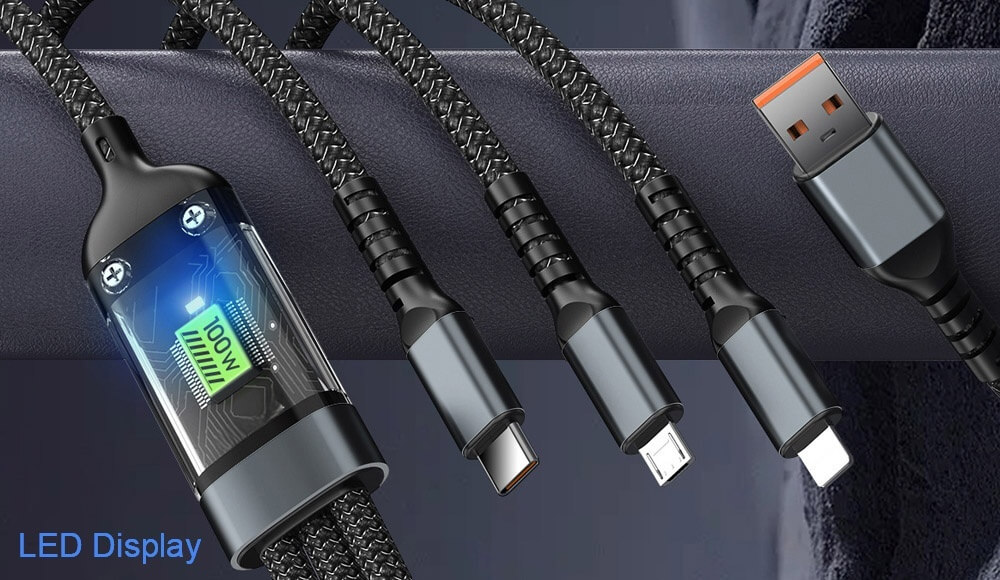
The true revolution came with USB Power Delivery and USB-C, which initially supported up to 100W (20V/5A). The latest USB PD 3.1 Extended Power Range (EPR) specification dramatically expands this to 240W (48V/5A), enabling even power-hungry devices like gaming laptops and professional monitors to be powered through a USB-C cable.
100W Multiple USB Cords Wholesale
Video and Alternate Modes
USB-C’s Alternate Mode capability allows non-USB signals to be transmitted through the USB-C connector and cable. The most common implementations include:
DisplayPort Alternate Mode enables direct connection to monitors and displays with support for high-resolution outputs including 8K video.
HDMI Alternate Mode allows compatibility with the widespread HDMI ecosystem without requiring adapters.
Thunderbolt 3/4 represents the most capable implementation, integrating PCI Express data transfer with DisplayPort video and power delivery through a single USB-C connector.
Choosing the Right USB Cables
Matching Cables to Your Needs
Selecting the appropriate USB cable requires considering your specific use case:
For basic charging of phones and small electronics, even an older USB 2.0 cable may suffice, though charging times will be longer.
Fast charging modern smartphones requires cables that support higher currents (3A) and proper USB Power Delivery negotiation.
Data transfer needs dictate different requirements: moving occasional documents might be fine with USB 2.0, while transferring large video files or backing up data benefits dramatically from USB 3.2 Gen 2 or higher.
Video applications demand USB-C cables with DisplayPort or Thunderbolt support, with passive cables suitable for most uses but active cables necessary for longer runs or higher resolutions.
Quality and Certification Considerations
With the proliferation of USB cables, quality has become a significant concern. Look for USB-IF certification logos that guarantee compliance with standards. Certified cables undergo rigorous testing to ensure they meet specifications for performance and safety.
Beware of cheap, uncertified cables that may not properly implement specifications, potentially leading to slow charging, data corruption, or even damage to your devices. Reputable brands typically provide better construction, shielding, and durability.
When selecting USB-C cables in particular, pay attention to the supported capabilities, as not all USB-C cables are created equal. Some may support only USB 2.0 data speeds despite having a USB-C connector, while others may implement full USB4/Thunderbolt capabilities.
Anti-lost lanyard with USB C charging
The Future of USB Cables Technology
USB CABLES Emerging Standards and Applications
The USB ecosystem continues to evolve, with several developments shaping its future:
USB4 Version 2.0, announced in 2022, promises up to 80 Gbps data transfer speeds, with the potential for even higher rates (up to 120 Gbps) in asymmetric configurations. This will further blur the lines between data transfer, video display, and peripheral connectivity.
The expansion of USB Power Delivery to 240W enables a truly universal power standard that can accommodate nearly all portable electronics, potentially eliminating the need for proprietary power bricks even for high-performance laptops and workstations.
Wireless USB technologies continue to develop, though they have yet to achieve the reliability and performance of wired connections for most applications.
The Path Toward True Universality
The long-term trend in USB technology points toward consolidation around USB-C as the universal physical connector, with intelligent negotiation handling the varying capabilities of different devices and cables. This vision of a truly universal cable that works for everything from earbuds to laptops is gradually becoming reality, though the transition period continues to present compatibility challenges.
As the ecosystem matures, we can expect better labeling, more consistent implementation of standards, and increased consumer education to help navigate the remaining complexities of USB connectivity.
Conclusion
Understanding USB cord types is no longer just technical knowledge—it’s essential practical information for anyone who uses electronic devices. From the legacy USB-A that started it all to the versatile USB-C that represents the future, each connector type and standard serves specific purposes in our connected ecosystem.
The key takeaways are simple: USB-C is becoming the universal standard for good reason, offering reversibility, high-speed data transfer, powerful charging capabilities, and video support all through one connector. However, older USB standards will remain in use for years to come, making an understanding of compatibility and capabilities increasingly valuable.
By choosing the right USB cable for each application—whether it’s basic charging, fast data transfer, or video display—you can ensure optimal performance, protect your devices, and simplify your digital life. As USB technology continues to evolve toward faster speeds and greater capabilities, this knowledge will only become more valuable in navigating our wirefully connected world.