Introduction: Facing the Inevitable Crack
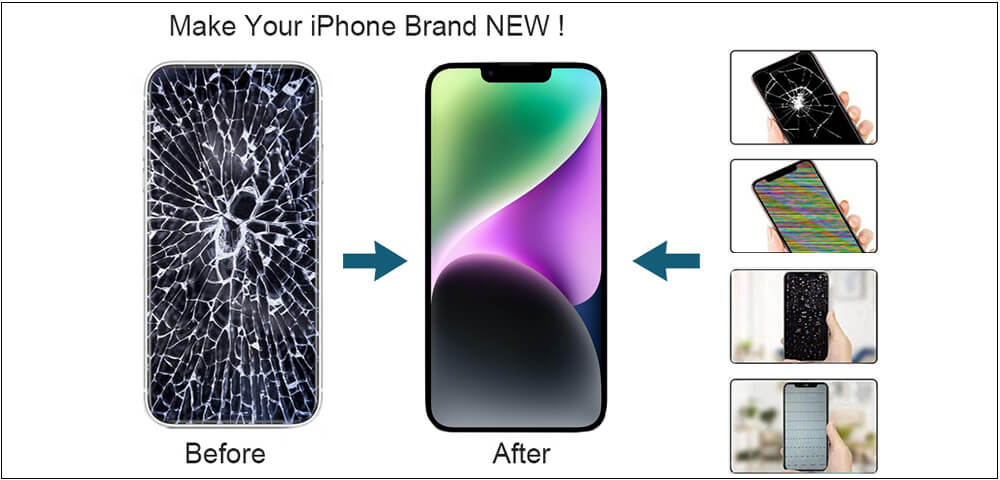
A cracked phone screen is a modern-day rite of passage. That spiderweb of fractures across your display is more than just an eyesore; it can hinder touch sensitivity, expose you to glass shards, and drastically reduce your device’s value. While professional repair is an option, the growing availability of tools and phone parts wholesale has made DIY screen replacement a viable and cost-effective solution for many. This comprehensive guide will walk you through everything you need to know—from diagnosing the problem and sourcing quality parts like iPhone screens wholesale, to the careful hands-on process of performing the repair yourself. Whether you’re a budding technician or a cost-conscious owner, understanding how to replace broken phone screens is an invaluable skill.
Understanding Your Phone’s Anatomy: More Than Just Glass
Before you pick up a tool, it’s crucial to understand what you’re fixing. A modern smartphone “screen” is typically a complex assembly:
The Glass Lens (Cover Glass): This is the top layer you touch. It’s designed to be scratch-resistant but can crack from impact.
The Digitizer: This is a thin, transparent layer beneath the glass that registers your touch inputs.
The Display (LCD or OLED): This is the actual screen that produces the image. It’s a delicate panel of lights and pixels.
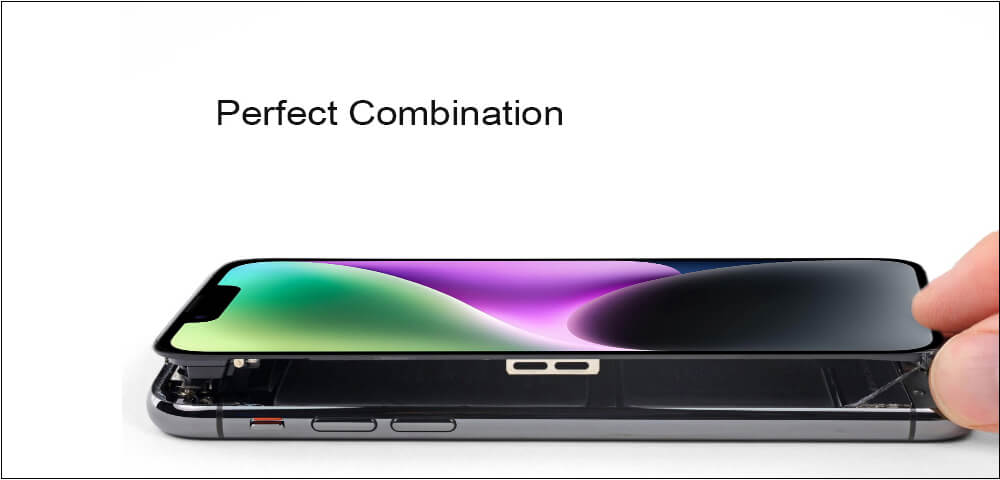
In many modern phones, especially iPhones, these three components are fused into a single unit called a “display assembly.” This means you usually replace the glass, digitizer, and display together. Older or lower-end models might have these as separate, laminated layers.
Common Screen Issues:
Cracked Glass: The most common issue. If the display beneath is intact (colors are true, no black spots), only the glass is damaged, though replacement often requires changing the whole fused assembly.
Display Malfunction: This includes lines, flickering, black spots, or discoloration, indicating damage to the LCD/OLED panel itself.
Touch Failure (Digitizer Damage): The screen looks fine, but it doesn’t respond to touch, or responds erratically.
Pre-Repair Checklist: Gearing Up for Success
Replacing phone screens is a precision task. Rushing in unprepared is the surest path to causing more damage. Follow this checklist:
1. Diagnose the Exact Problem:
Confirm it’s just the screen. Test the phone’s speakers, buttons, and charging port. Ensure the damage is purely physical and not related to internal logic board issues, which require a different repair.
2. Source the Correct Replacement Part:
This is the most critical step. Using a subpar screen leads to poor color, brightness, or touch issues.
Identify Your Model: Find your phone’s exact model number (e.g., iPhone 13 Pro Max SM-G998B for Galaxy S21 Ultra). Don’t guess.
Choose a Reliable Supplier: For quality and affordability, look for reputable phone parts wholesale distributors. Sourcing iPhone screens wholesale or wholesale Samsung screens ensures you get a grade-A part, often with a warranty. Look for suppliers that specify “OEM-like” or “high-grade” assemblies.
Understand the Options: You may find original (OEM), premium aftermarket, or cheaper aftermarket screens. For most DIYers, a high-quality aftermarket assembly from a reputable wholesale source offers the best balance.
3. Gather the Right Tools to Replace Broken Phone Screens:
A basic phone repair toolkit includes:
Precision screwdrivers (Phillips and Pentalobe)
Plastic spudgers and opening picks
A suction handle
Tweezers
A heat gun or hair dryer (to soften adhesive)
High-quality adhesive strips or glue for reassembly
A clean, well-lit, and static-free workspace
The Step-by-Step to Replace Broken Phone Screens
⚠️ Warning: Always disconnect the battery as the first step after opening the phone to prevent short circuits. If the battery is not easily accessible, proceed with extreme caution to avoid puncturing it.
1. Power Down and Apply Heat:
Turn the phone completely off. Use a heat gun or hair dryer on a medium setting to gently warm the edges of the screen. This softens the adhesive holding the screen to the mid-frame. Don’t overheat.
2. Open the Device:
Place the suction cup on the screen (if the glass is shattered, apply a clear packing tape over it first). Pull up gently to create a small gap. Insert a plastic pick into the gap and slowly work your way around the perimeter, carefully slicing through the adhesive. Patience is key.
3. Disconnect the Battery and Screen Cables:
Once the screen is lifted, this is your first and most important task. Locate the battery connector and use a spudger to gently pry it up. Next, locate the flex cables connecting the screen to the logic board. Unlatch any connector brackets and disconnect them.
4. Remove the Old Screen:
Once all cables are free, you can fully remove the broken screen assembly. Take note of how it sits and where any brackets or screws were located.
5. Install the New Screen:
Test the new screen before securing it! Reconnect the battery and the new screen’s cables, then power the phone on. Check for display quality, color, touch responsiveness, and that the front-facing camera/sensor cutouts align.
Once verified, power off and disconnect the battery again.
Clean the mid-frame thoroughly of any old adhesive residue.
Apply the new adhesive tape around the frame or to the new screen.
Carefully reconnect the screen cables and then the battery.
Gently lower the new screen into place, press down firmly around the edges to secure the adhesive, and reinstall any brackets or screws.
Post-Repair Testing and Sourcing Parts
Before sealing everything up, do a final functional test: check touch, display, buttons, speakers, microphone, and cameras. Only once everything works perfectly should you consider the job done.
For those looking to perform multiple repairs or start a small business, building a relationship with a phone parts wholesale supplier is essential. They provide:
Cost-Effectiveness: Lower per-unit costs for iPhone screens wholesale and other components.
Consistent Quality: Reliable suppliers ensure part consistency.
One-Stop Shopping: Access to screens, batteries, charging ports, and tools.
Conclusion: Empowerment Through Repair
Replacing broken phone screens is a meticulous but deeply rewarding process. It saves significant money, reduces electronic waste, and empowers you with a new understanding of the device you use every day. By following this guide, investing in the right tools, and most importantly, sourcing quality parts from trusted wholesale suppliers, you can confidently restore your phone to its former glory. Remember, the key to success lies in patience, preparation, and purchasing the right part for the job.