USB-C Cables for Android vs. iPhone: An In-Depth Comparison

The shift to USB-C cables in the smartphone world has been a long time coming. For years, the tech landscape was divided: the vast ecosystem of Android devices embraced the universal USB-C, while Apple stood apart with its proprietary Lightning connector. This division meant that users invested in separate, incompatible cables and accessories. However, with the release of the iPhone 15 series, Apple has finally adopted USB-C, a move significantly influenced by regulatory pressure from the European Union, which mandated a common charger to reduce electronic waste .

This transition promises a more unified future, but it also raises a crucial question: are USB-C cables for Android and iPhone now truly the same? The answer is more nuanced than a simple yes or no. While the physical connector is identical, underlying differences in protocol support, manufacturer restrictions, and performance can create a tangled web of compatibility. This article will dissect the details, providing a clear and comprehensive guide to the similarities and differences between USB-C cables used for Android phones and iPhones.

The Common Ground: Unifying with USB-C

The universal adoption of the USB-C physical connector is a massive step forward for consumers. This section covers the shared benefits that apply regardless of your phone’s brand.

Physical Connector and Basic Functionality

The most immediate benefit of USB-C is its reversible design. Unlike its predecessors like Micro-USB, the USB-C plug can be inserted either way up, eliminating the frustration of fumbling in the dark . This small but significant feature is a universal standard.

For most everyday accessories, this standardization is a boon. Common devices like standard USB-C headphones, charging banks, and car chargers are designed to work with any device featuring a USB-C port. This basic level of interoperability means that in many situations, you can indeed use the same cable for both an Android phone and an iPhone .

Core Charging and Data Transfer Capabilities

At their most fundamental level, all USB-C cables support charging and data transfer. The USB-C standard was designed to be powerful and versatile from the outset, supporting higher power delivery and faster data speeds than the older Lightning connector .

Both Android and iPhone devices can leverage the USB Power Delivery (PD) protocol, a fast-charging standard that intelligently negotiates the optimal power flow between the charger and the device . This means that a high-quality USB-C cable that supports PD can be used to fast-charge a compatible Android phone or an iPhone 15.

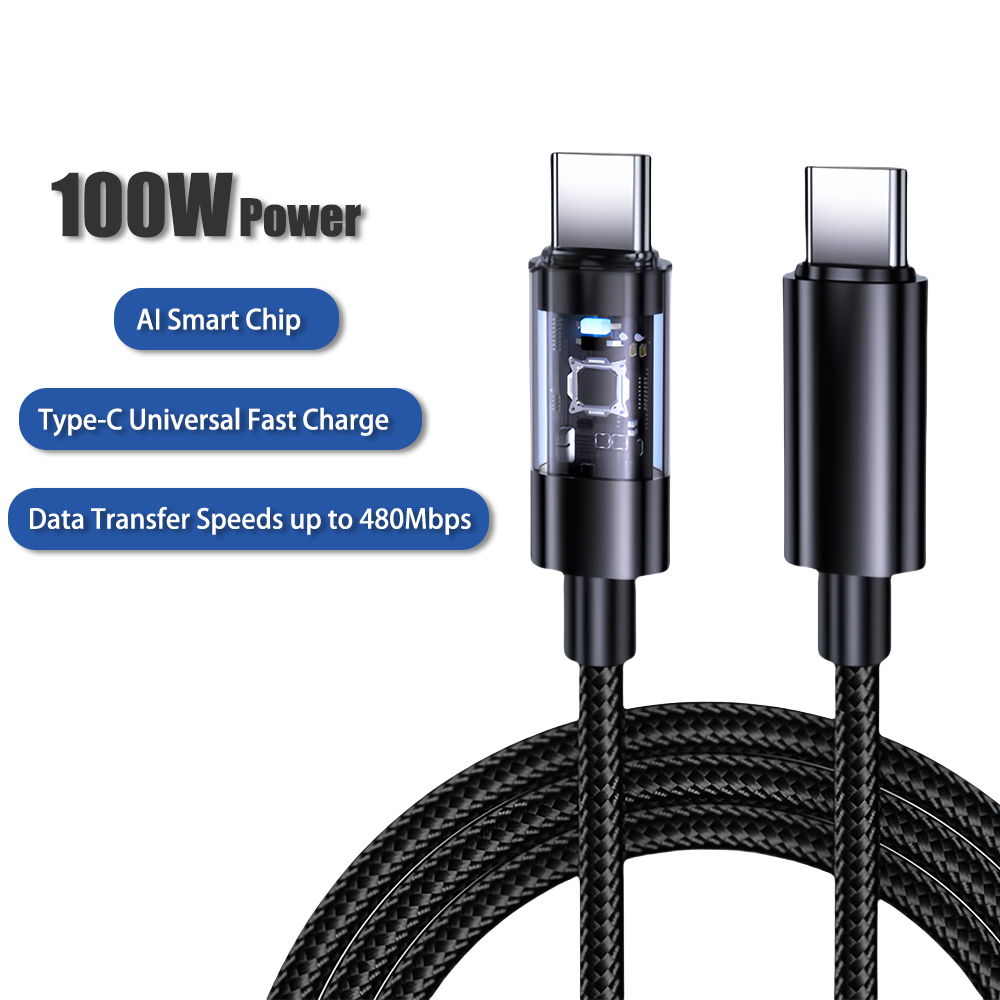
USB-C cables with LED display

USB-C cables with LED display

Key Differences: Where the Paths Diverge for USB-C cables

Despite the shared physical plug, several critical factors determine whether a cable will perform optimally—or even work correctly—across different devices.

Protocol Support and Charging Speeds

While the physical cable is essential, the actual charging speed and data transfer rate are dictated by the technical protocols supported by both the cable and the phone.

  • Charging Protocols: Although many devices use USB Power Delivery (PD), numerous Android manufacturers employ their own proprietary fast-charging protocols alongside it (such as Qualcomm’s Quick Charge). iPhones, since the iPhone 8, have relied on PD . The catch is that a cable designed for a specific Android brand’s ultra-fast charging might not offer any advantage when used with an iPhone, and vice versa. Furthermore, there are ongoing efforts like the UFCS (Universal Fast Charging Specification) to create a unified standard, which is starting to be adopted by some Chinese manufacturers .

  • Data Transfer Speeds: This is one of the most significant points of variation. Apple has implemented a tiered strategy within the iPhone 15 lineup. The standard iPhone 15 and 15 Plus models feature USB-C ports limited to USB 2.0 speeds (480 Mbps), which is the same as the old Lightning cable. In contrast, the iPhone 15 Pro and Pro Max models support USB 3.0 speeds (up to 10 Gbps), enabling much faster file transfers . The Android landscape is fragmented; budget phones may still use USB 2.0, while flagship models often support USB 3.2 or even USB 4, with speeds reaching up to 40 Gbps . To achieve these higher speeds, you must use a cable that supports the specific protocol, as not all USB-C cables are created equal.

The MFi Certification and Apple’s Ecosystem Control

A major point of contention with Apple’s switch to USB-C is the potential continuation of its Made for iPhone (MFi) program. For years, Apple has required accessory manufacturers to use certified chips in Lightning cables, ensuring a cut of the profits and control over quality .

Early reports and teardowns of iPhone 15 cables suggest that Apple may be extending this practice to some of its USB-C cables. A certified MFi USB-C cable likely contains a special authentication chip. Without this chip, third-party cables might be limited to slower charging speeds or basic functionality when used with an iPhone . This means that a generic or Android-focused USB-C cable might not work to its full potential with your iPhone. In contrast, the Android USB-C ecosystem is generally more open, with fewer such restrictive certification requirements.

USB-C Cables -Female & Male Connector

USB-C Cables -Female & Male Connector

Build Quality and USB-C Cable Durability

A cable’s performance is also tied to its physical construction. The quality of the internal wires and shielding directly impacts its ability to handle high-speed data and fast charging.

  • High-Speed Requirements: Cables designed for fast data transfer (e.g., USB 3.2 or USB 4) and high-wattage charging (e.g., over 60W) require superior internal components and thicker wires to minimize power loss and signal interference . A cheap, poorly made cable might only support slow charging and USB 2.0 data speeds, regardless of the connected device.

  • Physical Durability: Common failure points include broken solder joints at the connector head and fraying cables. Some manufacturers reinforce these areas with thicker rubber housing or braided nylon jackets to improve longevity . The build quality varies more by brand and price than by the intended device platform.

Table: USB-C Cable and Protocol Compatibility

FeatureTypical Android CableTypical iPhone CableKey Consideration
Physical ConnectorUSB-C (Universal)USB-C (Universal)Physically interchangeable.
Fast ChargingVaries (PD, QC, etc.)USB Power Delivery (PD)Phone and charger must support the same protocol.
Data Transfer SpeedsUSB 2.0 to USB 4iPhone 15/Plus: USB 2.0
iPhone 15 Pro/Max: USB 3.0
Cable must be rated for the desired speed (e.g., USB 3.0).
MFi CertificationNot RequiredPotentially Required for Full SpeedNon-certified cables may have limited functionality on iPhones.

A Practical Guide to Choosing and Using USB-C Cables

Given these complexities, here is a practical guide to navigating the world of USB-C cables.

  • For iPhone USB-C cables Users:

    • Stick with Certified Cables: To ensure full functionality and fast charging speeds, use Apple’s original cables or MFi-certified third-party USB-C cables .

    • Understand Your Model: If you own an iPhone 15 Pro and want to transfer large video files quickly, you will need to purchase a separate USB 3.0-speed cable, as the one in the box may not support it .

    • Test Android Cables Carefully: You can use an Android friend’s cable in a pinch, but do not expect it to deliver optimal fast charging unless you are sure it supports USB Power Delivery.

  • For Android USB-C cables Users:

    • Check Your Phone’s Capabilities: Know your device’s maximum charging wattage and data transfer standards (e.g., USB 3.1). This information can usually be found in the phone’s specifications.

    • Buy Accordingly: Purchase cables from reputable brands that explicitly state support for the protocols your phone uses. If your phone supports 65W charging, a cable rated only for 30W will be a bottleneck.

  • For All Users:

    • Look for Certification Labels: When buying new cables, look for logos or text indicating support for “USB PD” (Power Delivery), “USB 3.1,” “USB 4,” etc.

    • Beware of Ultra-Cheap Cables: Extremely low-priced, no-name cables often use substandard materials that can charge slowly, transfer data poorly, or even pose a safety risk to your devices.

    • When in Doubt, Use the Original: The safest bet for achieving the best performance is to use the cable that came with your phone or a certified replacement from the manufacturer.

USB-C Cables for iPhone VS Android

USB-C Cables for iPhone VS Android

Conclusion

The move to a universal USB-C connector is a welcome change that simplifies our digital lives. On the surface, the dream of a single cable for all devices is closer than ever. However, beneath this unified exterior, the differences in implementation between Android and iPhone remain significant. From Apple’s potential MFi restrictions and tiered data speeds to the myriad of fast-charging protocols in the Android world, true universal compatibility is still a work in progress.

The key takeaway is that not all USB-C cables are created equal. Their performance is dictated by a combination of the cable’s own capabilities, the phone’s supported protocols, and the charger being used. As a consumer, being an informed buyer—checking specifications, understanding your device’s needs, and choosing quality, certified products—is the only way to cut through the confusion and ensure you get the fast, reliable performance you expect from your modern smartphone.
The Ultimate Guide to USB: USB-A, Micro-USB, Lightning, and USB-C for Wholesale Buyers

Executive Summary

In the interconnected world of modern technology, the humble USB cable is the unsung hero, a critical conduit for power and data. For businesses involved in USB Cables wholesale, understanding the intricate differences between USB-A, Micro-USB, Lightning, and USB-C is not just academic—it’s a commercial necessity. The market is a diverse ecosystem where legacy standards like Micro-USB coexist with the universal promise of USB-C and the proprietary walled garden of Apple’s Lightning. This comprehensive guide provides USB cables suppliers and wholesalers with a deep dive into the specifications, market applications, and strategic considerations for each connector type. We will explore why a diversified portfolio that includes everything from bulk USB C cables to custom USB-C cables wholesale options is key to capitalizing on current demand while future-proofing your business. Navigating this complex landscape effectively allows savvy wholesalers to meet the needs of every customer segment, from the budget-conscious to the tech-obsessed.

100W USB-C cables wholesale

100W USB-C cables wholesale

Introduction: The Backbone of Digital Connectivity

The Universal Serial Bus (USB) standard has been the cornerstone of device interfacing for decades. From charging smartphones to connecting peripherals and transferring data, USB cables are ubiquitous. For wholesalers and suppliers, this represents a consistent and high-volume market opportunity. However, the landscape is fragmented. The evolution from the familiar USB-A to the once-dominant Micro-USB, and the current transition towards the powerful USB-C, alongside the unique position of Lightning, creates a complex matrix of consumer needs.

Success in the USB Cables wholesale market hinges on a strategic understanding of these connectors. It’s about knowing which cables are becoming obsolete, which are in sustained demand, and which represent the future of the industry. This knowledge informs inventory planning, marketing strategies, and partnerships with manufacturers for custom USB C cables wholesale programs, ensuring your business remains relevant and competitive in a fast-paced industry.

USB-A: The Universal Legacy Port

USB-A is the original “standard” USB connector that most people instantly recognize. Its wide, flat, and rectangular design with a single, non-reversible orientation has been the primary host port on computers, wall chargers, car adapters, and power banks for generations.

Technical Specifications and Common Uses

  • Form Factor: Non-reversible Type-A connector.

  • Typical Uses: Connecting peripherals (keyboards, mice, printers, external hard drives) to computers, and as the “source” end of virtually all charger blocks and power adapters.

  • Versions: It’s crucial to distinguish the connector (USB-A) from the protocol (USB 2.0, USB 3.0, etc.). A USB-A port can support various speeds:

    • USB 2.0 (Black/White Tab): Data transfer speeds up to 480 Mbps.

    • USB 3.0/+ (Blue Tab): Data transfer speeds up to 5 Gbps (USB 3.2 Gen 1).

    • USB 3.1/+ (Teal/Red Tab): Supports faster protocols, often with higher power delivery.

Market Position and Wholesale Strategy for USB-A Cables

Despite not being the modern port on new devices, USB-A is far from dead. Its role as the universal “source” connector in charging infrastructure guarantees its relevance for years to come. Most USB C cables wholesale offerings still feature a USB-A to USB-C model to serve this massive installed base.

Wholesale Recommendation: USB cables suppliers should maintain a robust inventory of high-quality USB-A to USB-C and USB-A to Micro-USB cables. These are high-turnover, essential items for a wide range of customers. They are the bread-and-butter of any wholesale operation and are often sought in bulk USB C cables purchases for corporate giveaways or as standard-issue accessories.

Micro-USB: The Former King of Android and Accessories

For nearly a decade, Micro-USB was the mandated charging port for most Android phones and a vast array of other devices, from Bluetooth speakers and power banks to smart home gadgets. Its compact, trapezoidal shape is unmistakable, notorious for its fragile design and frustrating non-reversibility.

Technical Specifications and Common Uses

  • Form Factor: Small, non-reversible, trapezoidal connector with two hooks on the sides.

  • Typical Uses: Budget and mid-range Android phones (decreasingly), Bluetooth accessories, power banks, e-readers (like older Kindles), and countless other low-power electronic devices.

  • Limitations: Physically fragile, slow charging capabilities (typically limited to 15W or less), and slow data transfer (usually USB 2.0).

Market Position and Wholesale Strategy for Micro-USB Cables

While Micro-USB is a legacy standard, its wholesale demand remains significant due to the enormous installed base of devices. The market for Micro-USB cables has shifted from premium to budget and replacement-driven. Customers are not looking for cutting-edge features but for affordable, durable cables to keep their older devices powered.

Wholesale Recommendation: USB cables suppliers should continue to stock Micro-USB cables, but consider them a cost-driven, volume-based product line. The focus should be on value and durability rather than high margins. These cables are essential for fulfilling the needs of budget retailers, hospitality industries (for guest charging), and as low-cost inclusions in accessory bundles. However, long-term inventory investments should be cautious, as this market will steadily decline.

USB C cables wholesale

USB C cables wholesale

Lightning: Apple’s Proprietary Ecosystem

Introduced by Apple in 2012, the Lightning connector was a revolutionary step forward with its compact, fully reversible design. It replaced the larger, 30-pin dock connector and became the exclusive port for iPhones, iPads, iPods, and other Apple accessories for over a decade.

Technical Specifications and Common Uses

  • Form Factor: Compact, symmetrical, and fully reversible 8-pin connector.

  • Typical Uses: iPhones (iPhone 5 to iPhone 14), iPads (most models until 2018+), AirPods cases, and other Apple peripherals.

  • Limitations: As a proprietary standard, it requires Apple’s certification (MFi – Made for iPhone/iPad/iPod). Non-certified cables often trigger warning messages and may fail. Its technical capabilities are now outclassed by USB-C, with slower data transfer speeds (USB 2.0 on most cables) and lower power limits.

Market Position and Wholesale Strategy for Lightning Cables

The Lightning cable market is massive but strictly governed. For USB cables suppliers, dealing in Apple MFi Certified cables is non-negotiable. Selling non-certified cables leads to customer dissatisfaction, high return rates, and potential legal issues.

Wholesale Recommendation: Partner exclusively with manufacturers who provide verifiable MFi certification. The Apple user base is loyal and has consistent spending power, making this a high-value, high-margin segment. Offering a variety of durable, well-designed MFi Lightning cables—in various lengths, colors, and with reinforced connectors—is a proven strategy. This is also a prime category for custom USB C cables wholesale suppliers to offer dual-ended cables (e.g., USB-C to Lightning) that cater to users with newer MacBooks and iPad chargers.

USB-C: The True Universal Standard

USB-C is the modern, industry-standard connector designed to replace all previous USB types, including USB-A, USB-B, and Micro-USB. Its small, robust, and elegantly simple reversible design is only part of the story. Its true power lies in its incredible versatility.

Technical Specifications and Common Uses

  • Form Factor: Small, oval-shaped, and perfectly symmetrical (reversible).

  • Typical Uses: Modern Android phones, premium laptops (MacBooks, Dell XPS, etc.), tablets (including iPads Pro/Air), peripherals, monitors, and even some gaming consoles (Nintendo Switch).

  • Capabilities: This is where USB-C shines. It’s a single port that can handle:

    • Power Delivery (USB-PD): Supports charging from 5W up to 240W, capable of powering everything from earbuds to high-performance laptops.

    • High-Speed Data: Supports USB 3.2 (up to 20 Gbps), USB4 (up to 40 Gbps), and Thunderbolt 3/4 (40 Gbps).

    • Video Output: Can output video to monitors via DisplayPort or HDMI Alt Modes, supporting resolutions up to 8K.

Market Position and Wholesale Strategy for USB-C Cables

USB-C is the present and future of connectivity. For USB cables suppliers, this is the most critical and dynamic product category. Demand for bulk USB C cables is exploding as the standard is adopted across all device categories.

Wholesale Recommendation: Your strategy should be multi-faceted:

  1. Diversify by Capability: Stock different tiers of USB-C cables to meet different needs and price points.

    • Basic Charging Cables: For customers who just need to charge phones and tablets.

    • High-Speed Data Cables: Certified for USB 3.2 Gen 2 or higher speeds for users transferring large files.

    • High-Power Charging Cables: Supporting 100W PD for laptop users.

    • Premium/Thunderbolt 4 Cables: For professionals requiring maximum performance for data and video.

  2. Embrace Customization: The custom USB C cables wholesale market is a major growth area. Businesses, schools, and promotional companies seek cables with custom lengths, colors, and printed logos. Offering this service positions you as a value-added supplier.

  3. Future-Proof Your Inventory: As the EU mandates USB-C as a universal charging standard and Apple continues its transition, prioritizing USB-C cable inventory is the safest long-term bet for any wholesaler.

Head-to-Head Comparison Table for Wholesale Buyers

FeatureUSB-AMicro-USBLightningUSB-C
Reversible?NoNoYesYes
DurabilityHighLow (fragile port)MediumHigh
Peak Data Speed10-20 Gbps*480 Mbps480 Mbps (5 Gbps on Pro)40-80 Gbps
Peak Power~7.5W-100W~15W~15W-30WUp to 240W
Video OutputNoNoNo (Adapter needed)Yes (Native)
EcosystemUniversal, LegacyLegacy Android/AccessoriesApple Proprietary (MFi)Universal Standard
Wholesale FocusHigh-volume, essentialBudget, replacementHigh-margin, MFi CertifiedFuture-proof, diversified tiers
Customization PotentialLowLowMedium (with MFi)Very High

*Depending on USB version (2.0, 3.0, 3.2)

Building a Winning Wholesale USB Cable Strategy

1. Portfolio Diversification is Key

A successful USB cables wholesale business cannot rely on a single connector type. Your portfolio must be a balanced mix:

  • Legacy & Volume: Maintain stock of reliable USB-A and Micro-USB cables.

  • High-Margin Niche: Capitalize on the Apple ecosystem with certified Lightning cables.

  • Future Growth Driver: Aggressively expand your USB-C offerings across all performance tiers.

2. The Critical Importance of Quality and Compliance

Cutting corners on quality is a race to the bottom. Poorly constructed cables with substandard wires and shielding lead to slow charging, data corruption, and safety hazards. For USB cables suppliers, building a reputation for reliability is paramount. This means:

  • Sourcing from reputable manufacturers.

  • Insisting on proper certifications (USB-IF, MFi).

  • Using high-quality copper wiring and robust connector housings.

3. Capitalizing on the Customization Trend

The market for generic cables is crowded. Offering custom USB C cables wholesale services provides a significant competitive advantage. This allows you to serve B2B clients directly, creating branded cables for corporate events, retail branding, and specialized applications. This segment commands higher margins and fosters long-term business relationships.

4. Understanding the “Cable Tangle” – Versatility Matters

Stocking and promoting versatile cable solutions can be highly profitable. Consider:

  • Multi-Port Cables: A single cable with interchangeable USB-C, Lightning, and Micro-USB heads.

  • Dual-Ended Cables: Such as USB-C to Lightning, which are increasingly popular.

  • Cables with Multiple Connectors: Bundled sets that cover all a user’s needs.

Conclusion: Navigating the Connector Landscape for Long-Term Success

The evolution from USB-A and Micro-USB to USB-C and the unique case of Lightning tells a story of technological progress towards a simpler, more powerful universal standard. For wholesalers and suppliers, this transition is not without its challenges, but it is filled with immense opportunity.

The key takeaway is that while legacy cables will remain a part of your inventory for the foreseeable future, your strategic focus must be on USB-C. Investing in a diverse range of bulk USB C cables, from basic to high-performance, and developing a strong custom USB C cables wholesale operation, is the definitive path to growth and resilience. By understanding the technical nuances, market dynamics, and quality imperatives of each connector type, your business can effectively serve the entire market—from those clinging to older devices to the early adopters driving the future—ensuring your position as a leading USB cables supplier in a connected world.

The Booming Market of Anti-Lost Phone Strap Cables Wholesale

The Ultimate Guide to Anti-Lost Phone Strap Cables Wholesale: Profiting from the $4.8B Mobile Security Market

Executive Summary

The anti-lost phone strap cables wholesale market is projected to reach $4.8B by 2027 (CAGR 12.3%), fueled by smartphone dependency and active lifestyles. This guide reveals how phone accessories or 3C wholesalers can capitalize on innovations like charging-integrated neck anti-lost straps, retractable security cables, and corporate safety lanyards – with profit margins up to 70%. Discover supplier selection, customization strategies, and emerging trends transforming this niche.


Section 1: Why Anti-Lost Straps Are Revolutionizing Mobile Security

1.1 The Drop Damage Epidemic

  • 68% of smartphone users damage devices from drops (Forrester)

  • Average repair cost: $250 for flagship models

  • Anti-lost charger cables solve two problems:
    ✅ Physical security (straps/clips)
    ✅ Power access (built-in charging)

1.2 Key Product Innovations

FeatureTechnical AdvancementUser Benefit
GaN-Integrated Straps20W PD charging chips in lanyard claspsCharge while securing phone
Smart Breakaway TechMagnetic release at 10-15lb forcePrevents choking during accidents
Retractable Systems1.5m tangle-free cables with auto-rewindNo cable snagging
Multi-Device HooksRotating carabiners for phones/keys/IDAll-in-one organization

Infographic: Market growth drivers for anti-lost accessories


Section 2: Wholesale Product Deep Dive

2.1 Top-Selling Categories

A) Neck Anti-Lost Straps (45% Market Share)

  • Premium Materials: Neoprene/SBR latex blends (sweat-resistant)

  • Security Features: RFID-blocking pouches + steel cable cores

  • Best Sellers:

    • MagLanyard Pro: MagSafe-compatible with 15W charging ($2.15/unit wholesale)

    • StealthVault: Hidden pocket for credit cards + detachable cable

B) Anti-Lost Charger Cables (30% Share)

  • Technical Specs:

    • Nylon-braided cables (10,000+ bend cycles)

    • USB-C/Lightning/Type-C variants

    • 3A fast charging + 480Mbps data transfer

  • MOQ Advantage: 500+ units at $0.95-$1.75

C) Specialty Straps

  • Wrist Security Straps: For runners/gym users

  • Badge Integrations: Corporate ID lanyards with charging ports

  • Child Safety Tethers: 3ft retractable cables for family travel

2.2 Customization Engine

Anti-lost customization cables lanyards

Anti-lost customization cables lanyards

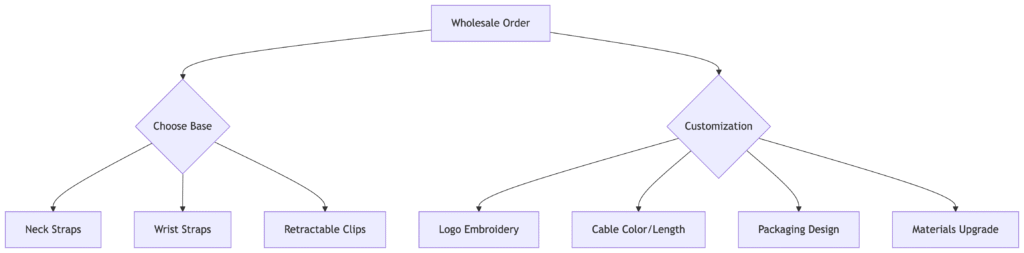
Customization workflow for bulk orders


Section 3: Target Markets & Sales Strategies

3.1 High-Yield Customer Segments

SegmentProduct MatchBundling Strategy
Corporate GiftingBranded badge lanyards + chargingAdd power banks + screen protectors
Travel RetailPassport neck straps + global adaptersBundle with TSA luggage scales
Fitness IndustrySweatproof arm strapsPair with wireless earbuds
Education SectorCampus ID lanyards with QR codesInclude phone sanitizers

3.2 Proven Marketing Tactics

  1. Amazon FBA Optimization:

    • Keywords: “anti-lost phone strap cables wholesale” + “neck anti-lost straps”

    • A+ Content: Videos showing 10ft drop tests

  2. B2B Outreach:

    • Target: Hotel chains, gym franchises, event planners

    • Pitch: “Reduce staff phone damage costs by 80%”

  3. Social Proof:

    • Case Study: SprintMart reduced employee device losses by 92% using our straps


Section 4: Supplier Selection Guide

4.1 Must-Have Certifications

  • Safety: CE/FCC/RoHS compliance

  • Durability:

  • Materials: REACH/SGS certifications

4.2 Audit Checklist for Anti-Lost Cable Suppliers

  1. Manufacturing Capabilities:

    • In-house mold making for custom hooks/clasps

    • SMT assembly lines for charging circuits

  2. Quality Control:

    • 12-stage inspection protocol

    • Sample failure rate <0.2%

  3. Logistics Advantages:

    • FBA prep services

    • Sea/air freight options with DDP terms

4.3 Cost Breakdown (10,000 Unit Order)

ComponentCost Per UnitPremium Upgrade
Base Neck Strap$0.70Eco-leather ($1.10)
Charging Cable$0.45100W GaN ($0.85)
Custom Embroidery$0.15Metallic thread ($0.30)
Total Production$1.30$2.25
Retail Price$12.99$24.99

Section 5: Future Trends & Opportunities

5.1 Emerging Technologies

  • Smart Straps:

    • Bluetooth proximity alerts

    • UV phone sanitizers in clasps

  • Eco-Innovations:

    • Straps from recycled ocean plastics

    • Biodegradable cable jackets

5.2 Untapped Markets

  • Senior Care: Fall-detection lanyards with emergency buttons

  • Adventure Tourism: Waterproof straps with dive-case compatibility

  • Retail Theft Prevention: Electronic article surveillance (EAS) tags


Section 6: How to Start Wholesaling

6.1 Step-by-Step Process

  1. Niche Selection: Focus on high-margin segments (e.g., corporate or travel)

  2. Supplier Vetting:

    • Request samples with custom logos

    • Verify factory audits via Alibaba Trade Assurance

  3. Order Optimization:

    • Start with 500-unit test order

    • Use 30/40/30 inventory split: Basic/Custom/Premium

  4. Sales Channels:

    • Amazon FBA (35% margin)

    • Shopify B2B store (direct to businesses)

    • Local gyms/hotels (consignment deals)

6.2 Profit Calculator

text
Revenue = Units Sold × Average Retail Price ($19.99)  
Cost = (Unit Cost + Shipping + Marketing)  
Profit Margin = (Revenue - Cost) ÷ Revenue × 100

Example: 5,000 units @ $2.15 cost → $58,425 profit (63% margin)


Conclusion: Seize the $4.8B Opportunity

The anti-lost phone strap cables wholesale market offers unprecedented growth for savvy distributors. By combining technical innovation (charging integration), strategic customization, and targeted marketing, wholesalers can achieve:

  • 40-70% profit margins

  • Recurring corporate contracts

  • 5X inventory turnover rates

Ready to dominate this niche?
Download our Wholesale Starter Kit:

  • Supplier negotiation script

  • 2024 trend forecast report

  • Customs clearance checklist

Multiple USB A to USB C+Lightning+Micro Cables wholesale

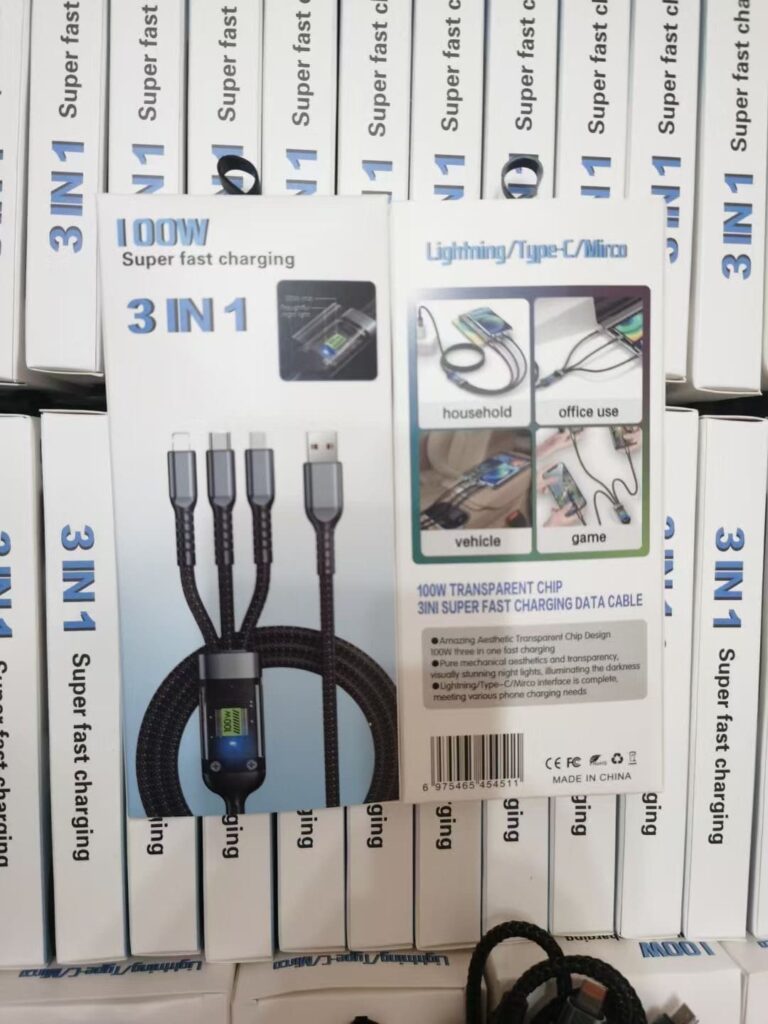
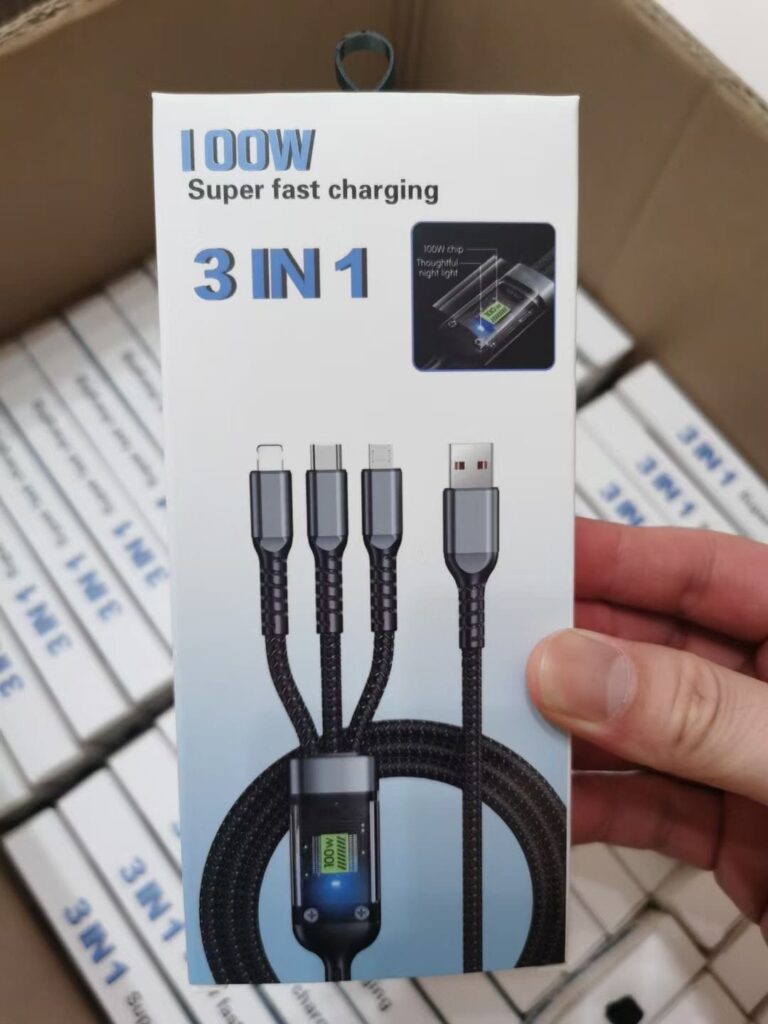
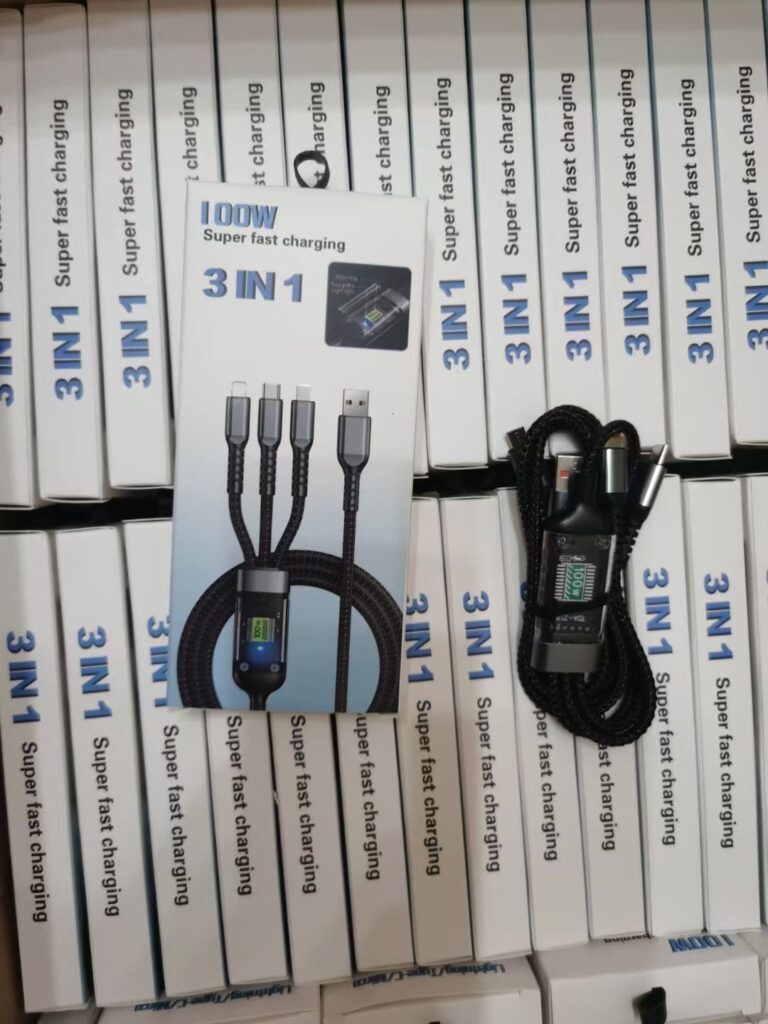
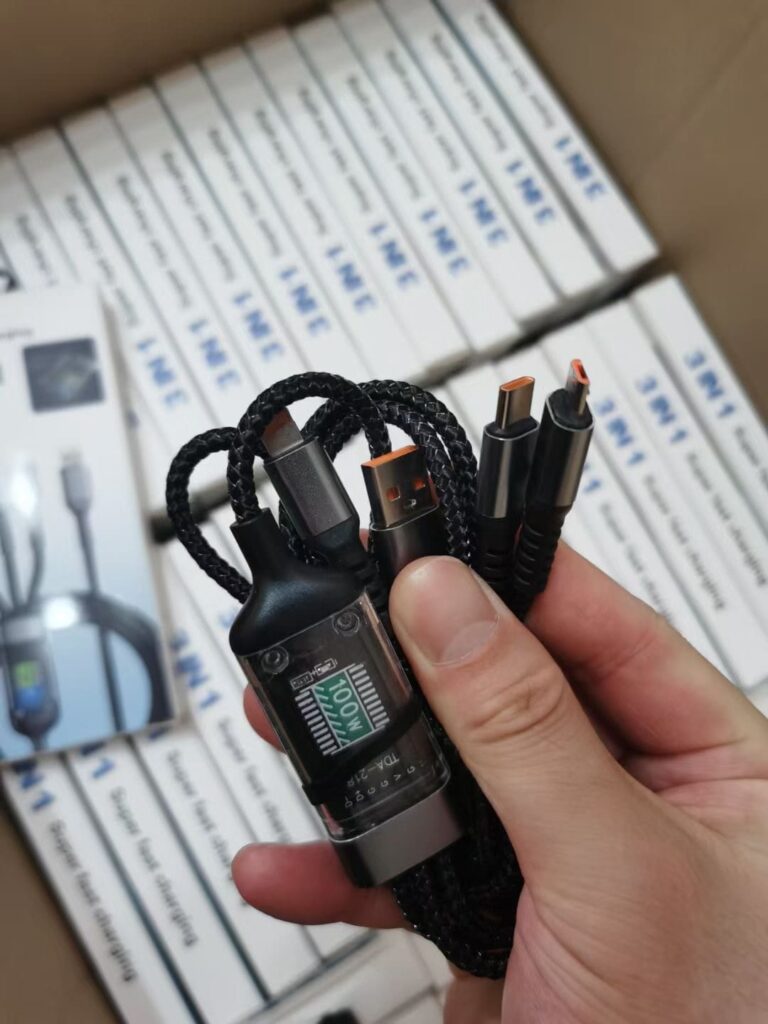
In the modern era of technology, the demand for versatile and efficient charging solutions has never been greater. Businesses looking to stock up on high-quality, multi-functional charging products should seriously consider ‌Multi 3-IN-1 USB cables wholesale. These cables offer a smart solution for a variety of devices, combining three different types of connectors in one convenient product. In addition to ‌Multi 3-IN-1 USB cables wholesale, this article will cover ‌USB charging cable wholesale suppliers‌, ‌multiple charging cables wholesale‌, and specific features like ‌USB A to USB C+L+micro cables‌ and ‌super fast charge cables wholesale‌.

Multiple 3-IN-1 USB Cables wholesale

Multiple 3-IN-1 USB Cables wholesale

The Convenience of 3-IN-1 USB Cables

One of the primary benefits of opting for 3-IN-1 USB cables is the sheer convenience they offer. These cables typically feature connections for USB Type-A, USB Type-C, and Micro-USB, ensuring compatibility with a wide range of devices. Whether you’re charging smartphones, tablets, laptops, or other peripherals, a single cable can do the job. This reduces the need for carrying multiple charging cables, making life easier for consumers and enhancing the user experience.

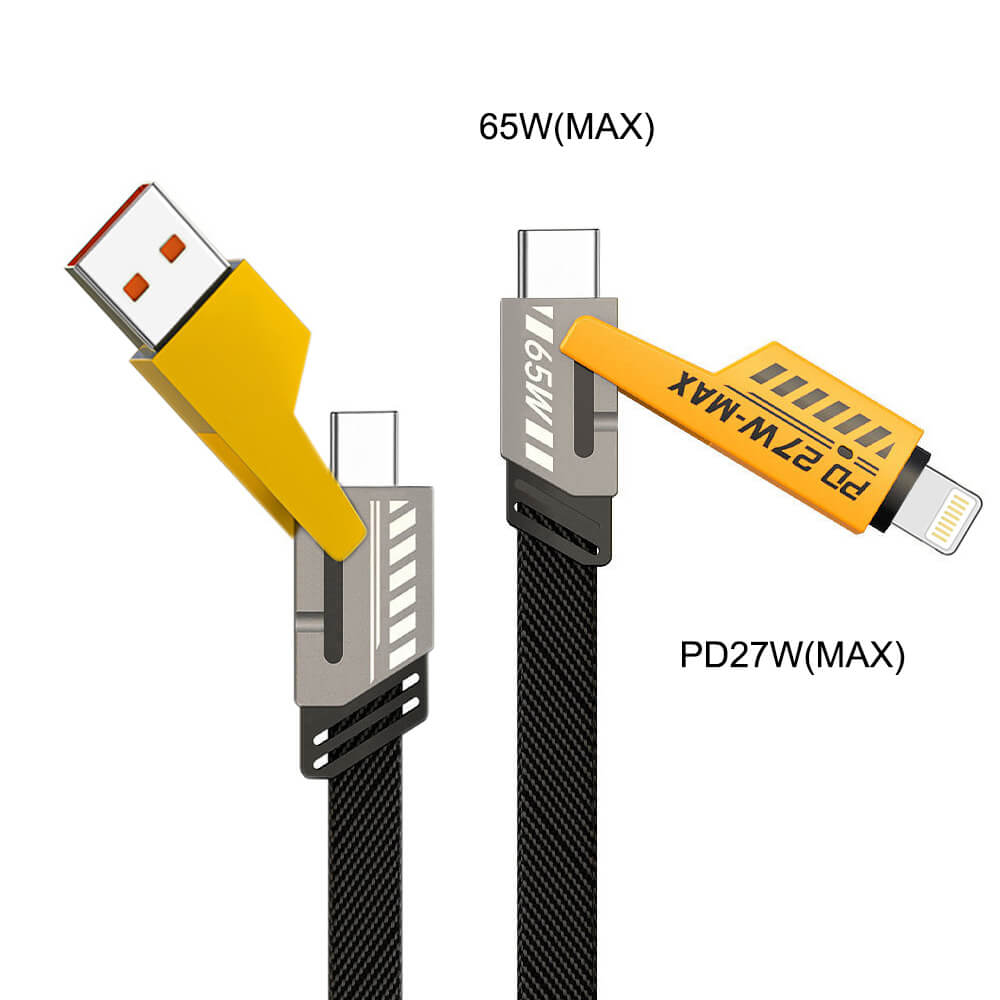
USB A to USB C + L + Micro cables wholesale

USB A to USB C + L + Micro cables wholesale

Applications and Use Cases

The versatility of 3-IN-1 USB cables makes them ideal for various settings. For businesses, providing a single type of charging cable for all employee devices can simplify inventory management and reduce costs. In homes, these cables help streamline charging stations, reducing clutter and making it easier to find the right cable when needed. Travelers will also appreciate the reduced weight and space occupied by a single 3-IN-1 cable compared to multiple separate cables.

Benefits of Wholesale Purchase

Purchasing ‌multi USB cables wholesale‌ or ‌multiple charging cables wholesale‌ offers several advantages. The most significant is the cost savings. Wholesale prices are generally lower than retail, allowing businesses to stock up on high-quality cables without breaking the bank. Additionally, reliable ‌USB charging cable wholesale suppliers‌ can provide consistent quality and quantities, ensuring that businesses always have charging solutions available when needed.

cheep multi USB cables wholesale

cheep multi USB cables wholesale

Super Fast Charge Capabilities

Modern devices often require fast charging to maintain their performance. ‌Super fast charge cables wholesale‌ ensure that businesses can offer the latest charging technology to their customers. These cables are designed to support higher current flows, reducing charging times significantly. For businesses in the tech sector or those frequently dealing with power-hungry devices, super fast charge cables are an essential investment.

Quality and Durability

When it comes to wholesale purchases, quality should never be compromised. Reputable ‌USB charging cable wholesale suppliers‌ will ensure that their products meet or exceed industry standards. Look for cables with robust construction, high-quality connectors, and insulation to prevent damage from frequent use. Cables with features like reinforced stress points and durable outer materials will withstand the test of time, providing long-term value.

Environmental Considerations

The production and disposal of electronic accessories can have a significant environmental impact. Opting for ‌USB A to USB C+L+micro cables‌ and other multi-functional products can help reduce e-waste. By providing solutions that are compatible with multiple devices, businesses can encourage the use of fewer cables over time, contributing to a more sustainable approach to technology.

All-IN-ONE cables wholesale China supplier

All-IN-ONE cables wholesale China supplier

Conclusion

In summary, ‌Multi 3-IN-1 USB cables wholesale represent a smart investment for businesses looking to offer convenient and efficient charging solutions. The convenience, cost savings, and environmental benefits make these cables an attractive option for various settings. When choosing a phone accessories supplier, ensure that quality and compatibility are prioritized to provide the best possible experience for your customers. With the right wholesale partner, businesses can stock up on essential charging cables that meet the needs of today’s diverse technological landscape.