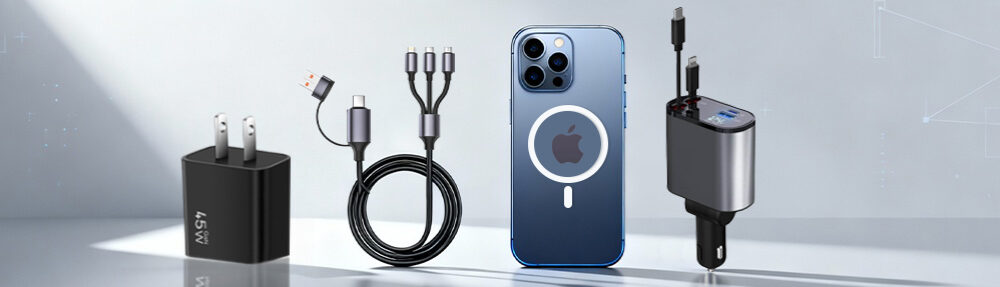
Extend your phone battery life, preserve battery health, avoid replacements, and boost device longevity with these proven tactics.
Why Phone Battery Degradation Happens
Every lithium-ion battery (used in iPhones, Samsung Galaxy, etc.) chemically ages due to:
Cycle Fatigue: Each 0%→100% charge = 1 “cycle.” Most batteries tolerate 500–800 cycles before dropping to 80% capacity.
Heat Stress: Temperatures >35°C (95°F) permanently damage cells.
High Voltage Strain: Keeping batteries at 100% charge stresses internal chemistry.
Part 1: Daily Habits to Extend Phone Battery Life
1. The 40–80% Charging Rule
Ideal Range: Maintain charge between 40% and 80% to minimize voltage strain.
Pro Tip: Use smart plugs or iOS/Android automation apps to stop charging at 80%.
2. Avoid Overnight Charging
Phones at 100% + plugged in overnight = heat buildup + voltage stress.
Solution: Charge before bedtime, unplug at 80–90%.
3. Kill Background Drain
Battery Killers:
Location services (set to “While Using”)
Background app refresh (disable for non-essential apps)
Push email (switch to fetch hourly)

Phone Battery – Portable Power Banks chargers
Part 2: How Phone Accessories Impact Battery Health
A) Chargers & Cables
Use MFI-Certified Chargers (iPhone):
Cheap knockoffs deliver unstable voltage, causing micro-damage.
✅ Wholesale Tip: Source MFi-certified cables wholesale for resale value.Choose PPS-Compatible Chargers (Samsung):
Samsung’s Programmable Power Supply (PPS) adjusts voltage dynamically to reduce heat.
B) Power Banks & Wireless Chargers
Quality Matters:
Power banks without voltage regulation overcharge batteries.
Wireless chargers generate heat – choose Qi2/MagSafe-certified models with cooling fans.
✅ Retail Opportunity: Stock Qi-certified wireless chargers wholesale for premium buyers.
C) Protective Cases
Heat Trap Risk: Thick silicone cases insulate heat during charging/gaming.
Solution: Use ventilated cases or remove cases when fast charging.
✅ For Resellers: Offer heat-dissipating phone cases in your mobile phone accessories wholesale catalog.
Part 3: Temperature Management – The Silent Battery Killer
Critical Rules
Never Charge in Hot Cars: Temperatures >35°C can permanently reduce capacity by 20% in 3 months.
Avoid Cold (<0°C) Exposure: Freezing temps cause temporary capacity loss.
Gaming/Video Editing Precautions:
Remove phone cases
Use cooling phone fans (popular in mobile accessories wholesale markets)
Part 4: Operating System Optimization
For iPhones
Enable Optimized Battery Charging (Settings > Battery > Health)
Use Low Power Mode below 40% charge
Update iOS – Apple constantly refines power algorithms
For Samsung/Android
Activate Adaptive Battery (Settings > Battery > Adaptive Preferences)
Use Dark Mode – AMOLED screens save 30–60% power on black pixels
Disable unused Bluetooth/Wi-Fi/NFC
Part 5: Long-Term Phone battery Storage & Maintenance
If Storing Phones for >1 Month:
Charge to 50% (full charge = degradation; empty = deep discharge risk)
Turn off device
Store in cool (15°C), dry place
Recharge to 50% every 6 months
Battery Calibration (Every 3 Months):
Drain battery to 0% until phone shuts off.
Charge to 100% uninterrupted.
Restart phone.
Resets software battery metering accuracy.

Wireless magnetic power bank
Part 6: Top Accessories That Prolong Battery Life – Wholesale Opportunities
| Accessory | Battery Benefit | Wholesale Profit Margin |
|---|---|---|
| MFi-Certified Cables | Stable voltage, prevent overcharging | 40–60% |
| GaN Wall Chargers | Cooler operation, precise power delivery | 50–70% |
| Qi2 Wireless Pads | Automatic 15W optimal charging + cooling | 45–65% |
| Thermal Phone Cases | Dissipate heat during heavy use | 30–50% |
✅ Pro Tip: Bundle these as “Battery Health Kits” for higher cart value.
Myths vs. Facts
❌ Myth: “Always drain to 0% before charging.”
✅ Fact: Deep discharges STRESS batteries. Partial top-ups are better.❌ Myth: “All wireless chargers damage batteries.”
✅ Fact: Qi-certified chargers with temperature control are safe.
When to Replace Batteries
Performance Signs:
Shutting down at 15–30% charge
Swelling/bending phone chassis
Overheating during light tasks
Cost-Benefit:
Third-party battery replacement: $20–$50
Apple/Samsung official: $70–$100
✅ For Businesses: Offer battery replacement services + sell power banks wholesale as interim solutions.
Conclusion: Build a phone Battery-Conscious Ecosystem
Extending battery life saves users money and reduces e-waste. For mobile phone accessories wholesalers and retailers:
Stock certified chargers/cables (prioritize MFi, PPS, Qi2).
Educate customers with battery care guides (share this article!).
Bundle heat-reduction accessories with fast-charging products.
Partner with trusted suppliers like Lider Industrial Ltd for:
MFi/USB-IF certified charging accessories wholesale
iPhone & Samsung-compatible power solutions
️ Thermal management phone cases in bulk
Your customers’ phone batteries will last longer – and so will their loyalty.

