
Chinese New Year – it is a traditional Lunar day for Chinese People. It is “Chun Jie” in Chinese.This is saying that, normally it is not the Jan 1st every year. It is the lunar first day of the year. And, it is for all Chinese people – this means it is for Chinese people who lived in China and also the ones who was born out of China but with a Chinese tradition.
The Chinese New Year always lasts 15 days. It counts from the first day of Spring Festival to the end day. Total it is 15 days. That is why some of the factories or companies enjoy a vacation of more than 15 days even the law only permits 7 days of free vacation. Another reason for a long vacation is, most of young or middle aged people are working in other places which is far from their hometown or parents. They would spend days on road to visit their hometown or parents and stay there for days.
So, the vacation starts from the first day of Spring festival and ends the last day? No, no, no. That is wrong! Usually the vacation starts a week before the first day of the Spring Festival and ends at 8th day of the Spring Festival. It depends.
What Chinese people enjoy during the vacation? mmm, let me list some of them. Please remember, this does not include all. It is only a very small amount of the things they will experience.
- Long vacation – Most of the Chinese people are hard-working ones. They will release and have a real vacation during this time. Most of the factories, companies are closed. They will not be bothered with business things. So, they can free themselves totally with a fresh mind.
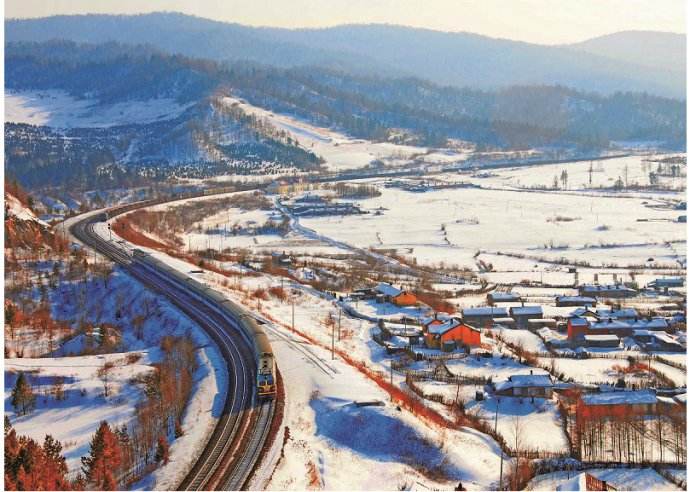
- Long Journey – Meet with tens of thousands people in the business, trains, business and express trains.Many of them will drive more than 8 hours home. Some even take more than 24 hours! It is not easy for most of them to get home.After the Spring Festival vacation, they have to spend the same time back to where they work.
- Meet with parents and friends – Most of the young people will leave their home town after Junior middle school. But their parents are still living there. You know, most of the young guys only meet their parents once at this Spring Festival. After a short time together, they have to leave for the places where they work or study.
- Vacation is for memories – I have left my home town more than 20 years. I could visit my places where i was born and grown up. The voices of the hometown will bring you back to the childhood. The people of my age will get together and drink till to red faces. Most of the people will do the same.
- Culture for kids – The generation of my kids will know less about Chinese culture and the traditions. Spring Festival will let them experience more than fun. We now live in Guangzhou and my son and daughter do not know much of the traditions of visiting relatives at hometown, preparation of Spring Festival and more. As a parent, it is a good time to keep them knowing more.

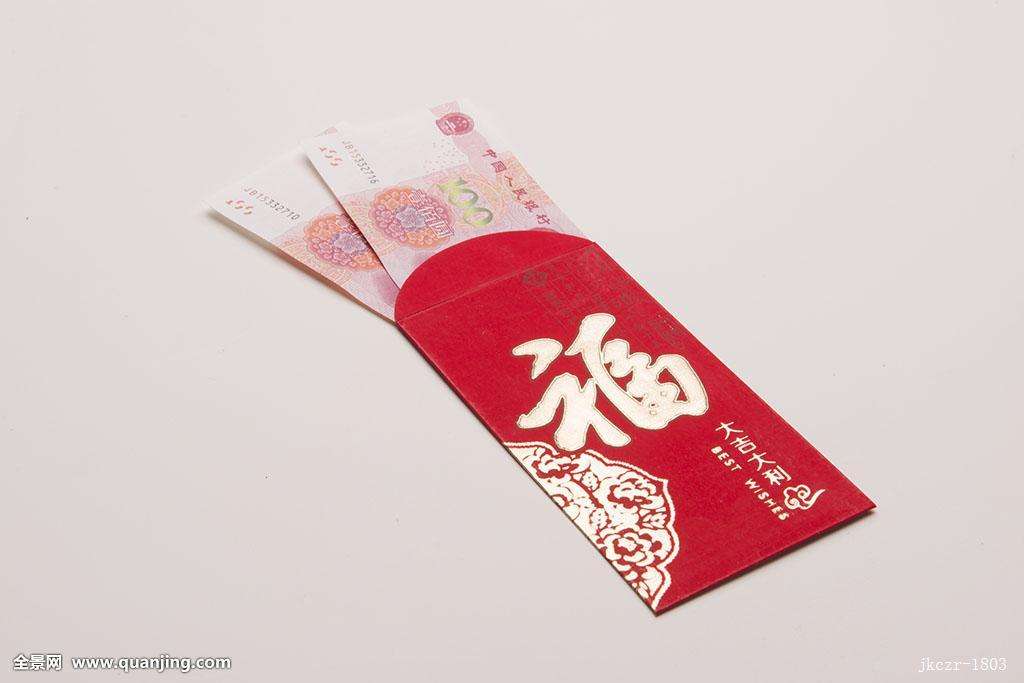
- Red envelope – As a foreigner, you may get interested in this. Red envelopes are best wishes for friends or family members celebrating the important things. Of course, Spring Festival is included. What is inside a red envelope? It is money, Chinese money. The amount inside the red envelope goes from 1RMB to several thousands RMB or even more (USD0.15 to USD2000 or even more). Both the giver and the receiver would be happy without caring the money inside. “Gong Xi Fa Cai” and ” Xin Nian Kuai Le” are the best words to express thanks when you receive a red envelope. “Gong Xi Fa Cai” means ” Best wishes for you to make more money”. And ” Xin Nian Kuai Le” means ” Happy New Year”.
It is normal for younger ones to receive red envelopes from older family members as grandparents, parents, elder brothers or sisters. My mom and dad are in 70s now and I am in my forties. I kept receiving red envelopes since I was 2-3 years old! The young ones will also give envelopes to older ones like grandparents, parents and elderly neighbors to show respects and cares. - Fireworks and play a dragon or lion – It is very happy to watch the fireworks with family members. Due to the pollution to air, the Chinese government take measures to stop that. This may disappear very soon.
Playing a dragon or a lion is my favorite game when I was a kid. It will bring many of the Chinese people back to good memories. This could be seen in cities or countrysides. You can search in google to see videos.
Spring Festival is the key and most important festival for Chinese people. The listed is only a small part of that. And, it differs from different locations and places in China or abroad. That is Chinese culture.
————————————————————————————————————
Questions, or comments? Jus comment us below. We will explain and get back to you. Thank you and please share this if you like that.