Fix Phone Gets Hot and Battery Drains Fast

iPhone needs to be cool down

iPhone needs to be cool down

Have you ever met this screen shot in your iPhone using life? Your iPhone suddenly gets hot although you’re not using it in a hot summer or it’s not charging, then you should pay attention. An overheating phone will lead to a faster battery draining or even cause the battery to explode, which is dangerous. Why it happens? What to and not to do when a phone gets too hot? Here we go:

What is the cause?

1. High Temperature. The working temperature for a smartphone is 0~35 degrees Celsius, equals to 32~95 degrees Fahrenheit. Be aware when your phone is exposed to a hot summer or direct sunlight for a long time.
2. Intense Workload. Too many apps running in the foreground or background results in the processor always working and lasting in an overload status which makes the device unable to dissipate heat timely.
3. Poor Signal. If your device is in a poor mobile network, the device will increased transmitter power to have a massive data interaction with nearby base stations, which will also lead the processor to run in overload and have no time to cooling down.
4. Faulty Battery. An original battery which is about to finish its service or a faulty battery produced by a third-party manufacturers.
5. Heavy Covering. Cover your phone in a protective case or some heavy stuffs will bring on poor heat dissipation.
6. Calling while Charging. Battery inputs and outputs at the same time will produce heat and the input and output of electric current will also put you in danger when you’re calling while the phone it’s charging.
7. Software Incompatibility. An iPhone after jailbreak or an Android phone after root may be installed some malicious or incompatible plugins without notice, which give rise to the cellphone heating.

What to do?

1. Keep or use your phone in a good ventilation place.
2. Turn off background running apps and uninstall the seldom use or never use apps.
3. Disable auto download and auto update selections.
3. Remove the protective cases when a phone is getting hot.
4. Use a good quality earphone instead of placing the phone close to your cheek when having a long conversation.
5. Stop the app you’re using or the video you’re watching when a phone is getting hot.
6. Install a professional app to detect what causes the phone to heat.
7. Watching out the weird overheating at any time.
8. Power your device off to let it rest for a moment.
9. Turn to local service center or repair shops for help.

How to avoid?

1. Avoid playing a game, watching a video or calling while the phone is charging.
2. Avoid protecting your phone with poor heat dissipation case.
3. Avoid charging your phone with faulty chargers or cables.
4. Avoid holding your phone or putting it into a pocket when it’s getting hot.
5. Avoid rapid cooling like placing it in a refrigerator or in front of the air conditioner as the large difference between the inside and outside of cellphone will lead to condensation which will damage the phone.
How to Test a Samsung Phone Replacement LCD

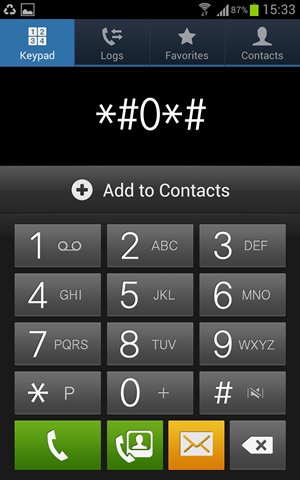
There is a service code that you can dial on your phone to access this diagnostic menu and perform different hardware functionality tests for your Samsung phone replacement LCD. You can perform test like screen test including screen colors and Touch functions, Vibration, Receiver, Sensors, Speakers, Keys, front and rear cams, Led lights and more.

Dial *#0*#  from your phone and you will see the following screen with 15 different hardware test buttons.

Samsung Phone Replacement LCD - Testing Menu

Samsung Phone Replacement LCD – Testing Menu


On below diagnostic menu first row to buttons Red, Green and Blue are the screen color tests that shows any dead pixels of the screen or tinted effect if any.

samsung lcd testing manue

samsung lcd testing manue

Test Phone Receiver : By pressing Receiver button you will hear a beep that shows receiver working fine and if you don’t hear any beep then phone might have problem with its receiver.
Test Vibrator : Vibration button will test the phone vibrator and your phone will vibrate continuously to stop it press the back button or tap the screen.
Screen Dimming Test : Dimming button and you will see phone screen divided with RGB gradient colors, tap again on the screen and screen should be half dimmed, hit the back button two times to go back.
Back/Rear Camera Test : Mega cam button used to test phone’s rear camera, tap this button check the camera view, perform focus test and take a picture.
Sensors Test : Using Sensor button you can perform all sensor test on your phone including Accelerometer, Proximity, Barometer, Lights, Gyroscope, and Magnetic Sensor.
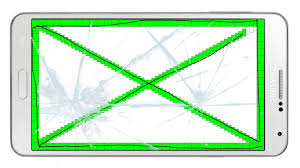
Touch Screen Test : Touch is major test on the phone, tap it and touch each box on the screen to fill it with green color. If all filled with green then screen touch test is passed.
Sleep button will test your phone’s sleeps functionality, once you tap it to test your phone will be in sleep more and you need to wake-up with power or home button.
Speaker Test : Hit the Speaker button to test phone speakers, when you hit the speaker button you will hear repeating sound until you tap this button again.
Phone Keys Test : Sub key button used to test the keys on the right and left sides of the home buttonFront cam is similar to Mega cam button.
LED Light Tests : LED is test to check phone’s alert LED light.Low Frequency button used to perform different LCD frequency tests

Samsung LCD Touch Test

Samsung LCD Touch Test

Broken LCD? Or, Broken screen?

Broken Glass - Need go replace the bad one

Broken Glass – Need go replace the bad one

Samsung S6 Lcd replacement

Samsung S6 Lcd replacement

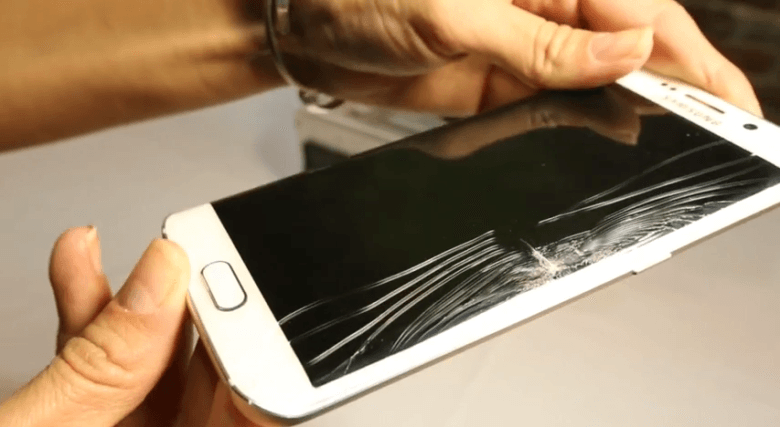
Many guys played with their phones and dropped them by mistake. Oh, my God, the phone is broken! Just pick it up and the screen shattered and there is a line there. The phone still turns on and everything works except the screen is destroyed.

Well, I need to say that it is still lucky. The Phone LCD is still good. It is not so costy to change the LCDs. The phones like Samsung S3, S4, S5, Note 3, Note 4, Note 5 or even newer version will be easier to replace the front glass. So do iPhone 5, 5s, 6,6s,6 Plus, 6s plus. The screen is still on and you can see the broken glass. The repair center will use a LCD seperator to repair it.

What shall I do if I am trying to turn on the phone and I am sure of the virbration of start? Sorry to tell you, the LCD is broken. And you have to repair the LCD+Touch. All phones would be done similar.

——————————————————————————————————————-

Samsung Galaxy S6 broken LCD and touch

Samsung Galaxy S6 broken LCD and touch

Q: I broke the Samsung Galaxy S6 Screen and Don’t see any display (Blank) and phone is not working but I did hear some beeps (may be updates or messages) but the phone getting on as the LED’s at the bottom are glowing. Do I need replace the LCD + Digitizer + Screen?

A: Sorry to let you know that you have to replace the Samsung Galaxy S6 LCD+Digitizer+Screen.
——————————————————————————————————————–

the front glass is broken, Just to repair that.

the front glass is broken, Just to repair that.

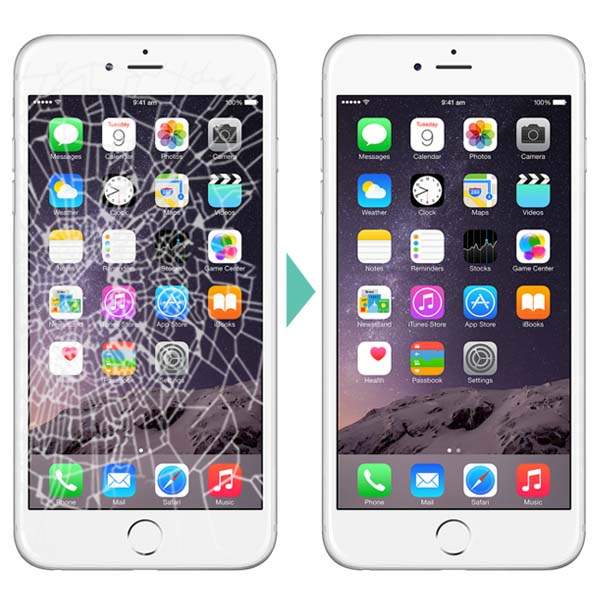
Q: I’ve cracked the iPhone 6s glass also from a short 2.5 ft drop. Looks like everything works as it should but there is just major glass breakage.

A: When you can see all the screen or icons as usual, the touch is also no problem. mmm, I think you can only replace the front glass.
Tips: you can buy a iPhone 6 glass screen protector to cover this. it will only break the screen protector on the same condition. You just replace the iphone 6 glass screen protector. DIY! So simple.

Apple MFI Certificated Lighting Cable

Mfi iPhone USB Lighting Cable

Mfi iPhone USB Lighting Cable


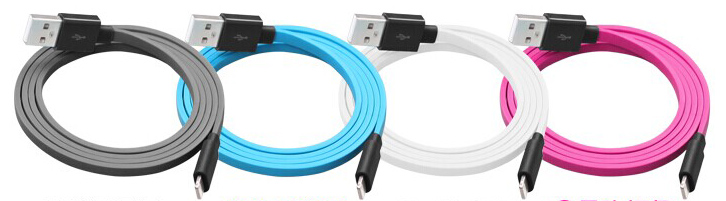
MFI Lightning cable Wholesale – The Lightning cable that iPhones, iPods and iPads have been using since 2012 is a proprietary connector created by Apple. Inside each lightning connector is a tiny authentication chip that tells your device it’s Apple MFI Certified. This is important because non-certified, or knock-off, lightning cables can be very dangerous to your device.These cables can often times get extremely hot, cause damage to your phone, and even render it completely fried and useless.

Made for iPhone,iPad,iPod

Made for iPhone,iPad,iPod